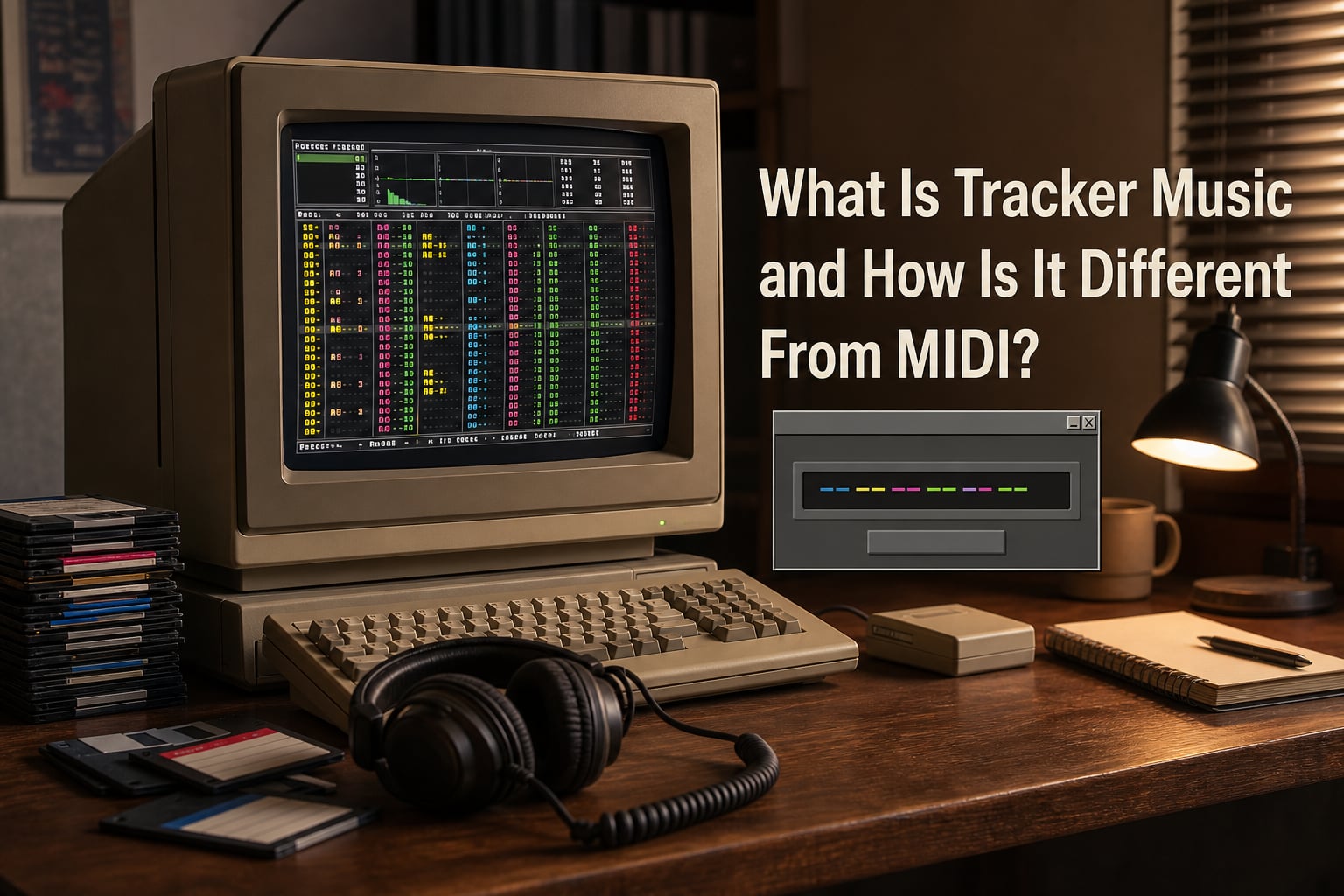
A music tracker is a type of music sequencer software (and sometimes hardware) where music is represented as discrete notes positioned in a grid of channels at discrete steps in time. Each channel plays one sample-based instrument at a time, and the song is built by stacking patterns of note data that the tracker plays back in sequence.
I’ve spent the last decade writing music in both trackers and DAWs, and the precision trackers offer still surprises me. If you’ve ever downloaded a keygen music file with .xm or .s3m extensions and wondered what made that retro sound tick, this guide will explain exactly what tracker music is, how it differs from MIDI, and why producers still choose it in 2026.
IN THIS ENTRYTable of Contents
- 1What Is Tracker Music? A Clear Definition
- 2How a Music Tracker Works: Patterns, Samples, and Effects
- 3The Three Building Blocks
- 4Entering Notes and Effects
- 5Tracker vs MIDI: The Key Differences Explained
- 6What MIDI Actually Is
- 7What a Tracker Actually Is
- 8The Core Differences at a Glance
- 9A Brief History of Tracker Music: From Amiga to Today
- 10The Amiga Era (1987 to 1994)
- 11The PC Expansion (1993 to 1999)
- 12The Modern Revival (2000 to 2026)
- 13Why Use a Tracker Instead of a DAW? Benefits and Use Cases
- 14Speed and Precision
- 15Sample Manipulation
- 16Self-Contained Files
- 17Common Use Cases
- 18Modern Trackers: Software and Hardware Options
- 19Software Trackers Worth Trying
- 20Hardware Trackers Worth Trying
- 21Tracker Terminology Cheat Sheet for Beginners
- 22Getting Started with Tracker Music: A Beginner’s Path
- 23Step 1: Pick a Tracker and Install It
- 24Step 2: Load a Sample Pack
- 25Step 3: Program a Four-Bar Pattern
- 26Step 4: Add Effects
- 27Step 5: Chain Patterns and Export
- 28The Keygen Music Connection: Why Trackers Power the Scene
- 29FAQs
- 30What is the difference between an audio track and a MIDI track?
- 31How does a music tracker work?
- 32What is the main difference between a tracker and a DAW?
- 33What is the best tracker for music?
- 34Final Thoughts on Tracker Music
What Is Tracker Music? A Clear Definition
Tracker music refers to music created using a tracker, a type of music sequencer where you program notes directly into a grid rather than record audio or draw piano-roll MIDI clips. Instead of performing through a virtual instrument, you type notes, samples, and effects into rows and channels.
Think of it as programming music rather than performing it. You type numbers and letters (often in hexadecimal) instead of clicking notes. The result is a self-contained file containing both the song structure and the audio samples it uses, which is why a single .MOD or .XM file from 1994 can still play perfectly today.
Trackers emerged in the late 1980s on the Commodore Amiga and quickly became the soundtrack engine for the demoscene, cracked software releases, and early video games. They gave producers with limited hardware a way to create complex, layered electronic music using tiny audio samples.
How a Music Tracker Works: Patterns, Samples, and Effects
A tracker interface looks intimidating the first time you open one. Rows run vertically down the screen, channels run horizontally across the top, and every cell contains either a note, a volume value, or an effect command. Once it clicks, though, the workflow becomes remarkably fast.
The Three Building Blocks
Every tracker song is made from three core elements: samples (short audio recordings that the tracker plays back at different pitches, similar to instruments in a DAW), patterns (a grid of note data, usually 32 to 64 rows long, where each row represents a slice of time), and channels (horizontal lanes in the pattern where each channel plays one sample at a time, mimicking the voice limit of old sound chips).
Entering Notes and Effects
When you press a key in a tracker, three things happen in a single row: a note plays, a sample is triggered, and an effect command can be applied. Effect commands use two-character hexadecimal codes like 01FF for a pitch slide or 0A04 for vibrato, letting you bend pitch, modulate volume, retrigger samples, and apply panning without any mouse clicks.
Common effects you’ll see in almost every tracker include arpeggio (rapidly cycling between three notes to fake a chord), vibrato, tremolo, volume slides, and sample offset. Mastering these effects is where tracker producers spend most of their creative time.
Tracker vs MIDI: The Key Differences Explained
This is where most newcomers get confused. MIDI is a protocol, while a tracker is a sequencer. They live at different levels of the music production stack, which is why comparing them directly is tricky. Here’s how I think about it.
What MIDI Actually Is
MIDI stands for Musical Instrument Digital Interface. It’s a communication standard developed in 1981 that lets keyboards, computers, and synthesizers send performance data back and forth. A MIDI file contains messages like “note C4 on channel 1 at velocity 100” plus control changes and timing information, while the actual sounds live in whatever device or software receives those messages.
What a Tracker Actually Is
A tracker is a complete music production environment. It stores both the song data and the audio samples in one file, then plays them back using its own internal engine. There’s no external synth or sound bank, just the tracker, its samples, and your note programming.
The Core Differences at a Glance
The cleanest way to compare them is this: MIDI is a high-level, flexible language for telling instruments what to play, while a tracker is a low-level, self-contained system that stores and plays its own sounds directly. MIDI files are tiny and portable across any device that understands the protocol, while tracker files are larger because they bundle the audio inside but are guaranteed to sound the same everywhere.
MIDI gives you pitch, velocity, and timing with no sound of its own. A tracker gives you pitch, velocity, timing, sample playback, and built-in effects all in one workflow. MIDI can drive a thousand different synths; a tracker plays its own samples, period.
A Brief History of Tracker Music: From Amiga to Today
Tracker culture has a deep origin story that shaped how electronic music got made. Understanding the history helps explain why the format feels so different from a modern DAW.
The Amiga Era (1987 to 1994)
The story starts with Karsten Obarski’s Ultimate Soundtracker, released in 1987 for the Amiga. It leveraged the Amiga’s four-channel sample playback to let producers build surprisingly rich tracks with just four simultaneous sounds. Tools like NoiseTracker and ProTracker followed, and a generation of demoscene musicians pushed the format into an art form.
The PC Expansion (1993 to 1999)
When trackers migrated to DOS, they gained more channels and better samples. FastTracker II brought 32 channels and the .XM format. Scream Tracker 3 introduced .S3M files. Impulse Tracker refined effects processing and is still considered by many to be the peak of the classic tracker era.
The Modern Revival (2000 to 2026)
Trackers never really died. Renoise launched in 2002 and added modern features like VST plugin support, automation, and full MIDI compatibility while keeping the classic grid workflow. OpenMPT kept the .MOD, .XM, and .S3M formats alive with a free, open-source editor. Hardware trackers like the Polyend Tracker and Dirtywave M8 brought the format back into the hands of musicians who love tactile, portable gear.
Why Use a Tracker Instead of a DAW? Benefits and Use Cases
After spending equal time in both, I keep coming back to trackers for specific jobs. Here’s where I think they genuinely shine.
Speed and Precision
Once your fingers learn the keyboard shortcuts, you can program drum rolls, arpeggios, and pitch bends faster than you can draw them in a piano roll. The grid forces you to commit to rhythmic precision, and that constraint often produces better grooves than free-form recording.
Sample Manipulation
Trackers treat samples as raw material. You can chop, loop, reverse, and retrigger them at any pitch. For genres like chiptune, drum and bass, and industrial, this granular control is a feature, not a limitation.
Self-Contained Files
A finished tracker song is one file with everything baked in. You can email it, archive it, or play it on a different machine 20 years from now and it’ll sound identical. DAW projects depend on plugin versions, sample libraries, and OS quirks that change constantly.
Common Use Cases
Trackers power chiptune, video game soundtracks, demoscene productions, keygen music, and experimental electronic genres. Many producers also use trackers for sketching ideas quickly before moving to a DAW for mixing and mastering.
Modern Trackers: Software and Hardware Options
If you want to try tracker music today, you have more options than ever. I’ve tested most of these and here’s where each one fits.
Software Trackers Worth Trying
Renoise is the gold standard for modern tracker work, offering paid software with VST support, full MIDI in/out, and a powerful mixer across Windows, macOS, and Linux. OpenMPT is free, open-source, and Windows-only, best for classic .MOD, .XM, and .S3M editing, and the community keeps a great collection of tracker module players and software. SunVox is a free modular tracker that doubles as a synth and effects environment, running on everything including iOS and Android. Buzz is a free modular tracker-style DAW hybrid with a cult following for IDM and experimental music.
Hardware Trackers Worth Trying
The Polyend Tracker is a standalone groovebox-style tracker with a built-in keyboard, synth engine, and SD card storage, great for live performance. The Dirtywave M8 is a handheld tracker inspired by the Game Boy and classic Roland grooveboxes with powerful synth engines and no computer dependency. LSDJ (Little Sound DJ) is a Game Boy cartridge that turns the handheld into a full tracker, considered a classic chiptune tool.
Tracker Terminology Cheat Sheet for Beginners
Forum threads are full of jargon that stops beginners cold. Here’s a quick reference for the terms you’ll see everywhere.
Pattern: A block of note data arranged in rows and channels; songs are made by chaining patterns together.
Row: A single time step inside a pattern, usually representing one tick or beat.
Channel: A horizontal lane in the pattern, equivalent to a voice or track.
Sample: A short piece of audio used as the raw sound source.
Instrument: In newer trackers like .XM, a sample plus envelope and loop settings grouped together.
Effect command: A two-character hexadecimal code that changes how a note plays (volume, pitch, panning).
Hexadecimal: Base-16 notation using digits 0 to 9 and letters A to F; trackers use hex because it packs more values into two characters.
Getting Started with Tracker Music: A Beginner’s Path
If you want to actually make tracker music, here’s the path I recommend after watching dozens of beginners struggle.
Step 1: Pick a Tracker and Install It
Download OpenMPT (free, Windows) or Renoise (paid trial). Both have friendly tutorials and a large community willing to help.
Step 2: Load a Sample Pack
Start with a free chiptune or 8-bit drum kit. Drop a kick sample into channel 1, a snare in channel 2, and a bass in channel 3.
Step 3: Program a Four-Bar Pattern
Type in notes using your computer keyboard. Place a kick on every row 1 and 9, a snare on rows 5 and 13, and a simple bassline. Press play.
Step 4: Add Effects
Once the rhythm feels good, experiment with volume slides and pitch bends using the effect column. This is where tracker music starts to feel alive.
Step 5: Chain Patterns and Export
Arrange your patterns in the song order list, then export to .WAV or .MP3 when you’re happy. Share it on r/TrackerMusic for feedback.
The Keygen Music Connection: Why Trackers Power the Scene
Tracker music and keygen music have a deep historical bond. Throughout the 1990s and 2000s, software cracking groups needed small, self-contained audio files that could play during their crack intros without external dependencies. Tracker formats like .XM, .S3M, and .MOD were perfect: tiny file size, embedded samples, and reliable playback on any PC.
Many classic cracktros from groups like R2R used tracker music files you can still download today. The format’s tiny footprint and unmistakable chiptune-meets-techno sound became part of the visual identity of the warez scene. Modern keygen music artists still lean on trackers because they preserve that retro crunch while letting you do almost anything with the sound design.
If you want to explore that world, the R2R team archive is a great place to start. You’ll find hundreds of tracker-formatted tracks that show off just how creative producers got within the format’s strict limits.
FAQs
What is the difference between an audio track and a MIDI track?
An audio track contains recorded sound data like a vocal or guitar take. A MIDI track contains performance instructions (note pitch, timing, velocity) that tell a software instrument or hardware synth what to play. MIDI tracks hold no sound on their own; they need an instrument to generate audio. Audio tracks hold the actual sound waveform ready to play.
How does a music tracker work?
A music tracker arranges notes in a grid of rows and channels. You assign a sample to each note, then use two-character hexadecimal effect commands to control pitch, volume, and panning during playback. The tracker plays back patterns in a defined song order, triggering samples at the right time. Everything (song data and audio samples) is stored in one self-contained file.
What is the main difference between a tracker and a DAW?
A tracker uses a spreadsheet-like grid where you type notes and effects with the keyboard. A DAW uses a timeline with a piano roll you click and drag with the mouse. Trackers are sample-based and self-contained; DAWs typically rely on external plugins and instruments. Trackers reward fast keyboard-driven workflow, while DAWs offer more visual flexibility for mixing and recording.
What is the best tracker for music?
Renoise is the best modern software tracker for most producers thanks to VST support, MIDI in/out, and cross-platform availability. OpenMPT is the best free option for classic MOD, XM, and S3M editing. For hardware, the Polyend Tracker and Dirtywave M8 are the most popular standalone choices, while LSDJ on Game Boy is a beloved chiptune option.
Final Thoughts on Tracker Music
Tracker music isn’t a relic. It’s a different way of making electronic music that trades the visual flexibility of a DAW for precision, speed, and creative constraints that force you into new sounds. Whether you’re curious about the chiptune aesthetic, want to make video game soundtracks, or just love the retro keygen music vibe, a tracker gives you a workflow no other tool can match.
Pick OpenMPT or Renoise, load a few samples, and try programming a four-bar beat this weekend. You’ll understand why this 40-year-old format still has a passionate community behind it in 2026.