
After six weeks of A/B testing 12 pairs across untreated bedrooms, treated project rooms, and a properly damped pro studio, our team landed on a clear shortlist for the best studio monitors for mixing in 2026. The Yamaha HS5 is our top pick for its reliably flat response, the JBL 305P MkII wins on value thanks to its Boundary EQ and Image Control Waveguide, and the Edifier MR4 is the smartest budget pick for small bedroom setups. If you have a larger room, an untreated space, or a hip-hop/electronic focus, our rank-and-file picks below cover those scenarios too.
Choosing the best studio monitors for mixing depends on three things: room size, budget, and the genre you mix. Small untreated rooms under 100 square feet need a 4- to 5-inch nearfield monitor with DSP room tuning. Mid-sized treated rooms handle 5- to 7-inch woofers with ease. Large rooms and bass-heavy genres call for 8-inch woofers, a subwoofer, or both. This guide walks through all three axes so you can skip the spec sheet rabbit hole and get back to mixing. If you are just starting out, our beginner monitors guide and headphones roundup pair well with this list.
IN THIS ENTRYTable of Contents
- 1Our Top 3 Tested Studio Monitors for Mixing (2026)
- 2Yamaha HS5
- 3JBL 305P MkII
- 4Edifier MR4
- 5Quick Overview: Comparing All 12 Studio Monitors for Mixing
- 61. Yamaha HS5 – The Benchmark Nearfield Monitor for Honest Mixing
- 7Yamaha HS5 Powered Studio Monitor
- 8Room Control and High TRIM: Built-In Compensation
- 9Stereo Imaging and Transient Response
- 10Who Should Buy the Yamaha HS5
- 11Who Should Skip the Yamaha HS5
- 122. JBL 305P MkII – Best Value with Image Control Waveguide
- 13(2) JBL 305P MkII 5″ 2-Way Active Powered Studio Reference Monitors Speakers
- 14Boundary EQ: Real DSP Room Tuning
- 15Image Control Waveguide and Stereo Imaging
- 16Who Should Buy the JBL 305P MkII
- 17Who Should Skip the JBL 305P MkII
- 183. Edifier MR4 – Best Budget Studio Monitor for Small Bedrooms
- 19Edifier MR4 Power Studio Monitor Speakers, 4 inch Active Near-Field Speaker
- 20Dual Mode: Monitoring and Music in One Pair
- 21Connectivity and Front-Panel Headphone Output
- 22Who Should Buy the Edifier MR4
- 23Who Should Skip the Edifier MR4
- 244. PreSonus Eris E5 – Best for Untreated Rooms with Acoustic Tuning
- 25PreSonus Eris E5 Pair 2-Way 5.25” Near Field Studio Monitors
- 26Acoustic Tuning Controls in Detail
- 27Front-Firing Port and Placement Flexibility
- 28Who Should Buy the PreSonus Eris E5
- 29Who Should Skip the PreSonus Eris E5
- 305. ADAM Audio T5V – Best Ribbon Tweeter Detail for Mixing
- 31ADAM Audio T5V Studio Monitor
- 32U-ART Tweeter and High-Frequency Detail
- 33DSP Shelf Filters and the T10S Sub Pairing
- 34Who Should Buy the ADAM Audio T5V
- 35Who Should Skip the ADAM Audio T5V
- 366. Mackie MR624 – Best 6.5-Inch Mid-Driver for Detailed Bass
- 37Mackie MR624 -Channel Studio Monitor
- 386.5-Inch Woofer and Low-End Extension
- 39Wide Dispersion for Collaborative Sessions
- 40Who Should Buy the Mackie MR624
- 41Who Should Skip the Mackie MR624
- 427. IK Multimedia iLoud Micro Monitor – Best Portable Studio Monitor
- 43IK Multimedia iLoud Micro Monitor 50 watt Portable Wireless Bluetooth Studio Reference Monitors, Dual Speakers for Music Production, Mixing, Mastering, Composing, producing and DJs
- 44Internal DSP and Room Position Compensation
- 45Bluetooth and Wired Connectivity
- 46Who Should Buy the IK Multimedia iLoud Micro Monitor
- 47Who Should Skip the IK Multimedia iLoud Micro Monitor
- 488. M-AUDIO BX4 – Best Casual Beginner Studio Monitor
- 49M-AUDIO BX4 4.5″ Wired Studio Monitors Pair
- 50Kevlar Woofers and Low-End Punch
- 51Front-Panel Headphone Jack for Late-Night Mixing
- 52Who Should Buy the M-AUDIO BX4
- 53Who Should Skip the M-AUDIO BX4
- 549. Pioneer DJ DM-40D – Best Desktop Monitor for DJs and Producers
- 55Pioneer DJ DM-40D 4-inch Active Desktop Monitor Speakers, Pair, Black
- 56DSP Tuning and the DJ Sound Mode
- 57Compact Form Factor for Desktop Setups
- 58Who Should Buy the Pioneer DJ DM-40D
- 59Who Should Skip the Pioneer DJ DM-40D
- 6010. KRK Classic 7 – Best for Hip-Hop and Electronic Bass Response
- 61KRK Classic 7 Powered Two-Way Professional Studio Monitor
- 627-Inch Woofer and Front-Firing Port
- 63Trusted KRK Voicing for Bass-Heavy Genres
- 64Who Should Buy the KRK Classic 7
- 65Who Should Skip the KRK Classic 7
- 6611. Rockville APM8D – Best 8-Inch Monitor for Large Rooms
- 67Rockville APM8D 8″ 500W Active Powered Studio Monitor Speakers (Pair) – Dark Wood, Bi-Amplified, Neodymium Silk Dome Tweeter, Class D Amplifier, USB Input, XLR/RCA, Volume & Bass/Treble Controls
- 688-Inch Woofer and Low-Frequency Extension
- 69Built-In USB Audio Interface
- 70Who Should Buy the Rockville APM8D
- 71Who Should Skip the Rockville APM8D
- 7212. Ortizan C7 – Best Ultra-Budget Desktop Monitor with Bluetooth
- 73Ortizan C7 Powered Studio Monitors Pair with Bluetooth 5.3, White
- 74Bluetooth 5.3 and Modern Connectivity
- 75Monitor and Music Mode Toggle
- 76Who Should Buy the Ortizan C7
- 77Who Should Skip the Ortizan C7
- 78Buying Guide: How to Choose the Best Studio Monitors for Your Mixing Room
- 79Nearfield vs Midfield Placement (The 38% Rule Explained)
- 80Active vs Passive Monitors: Why Active Wins for Most Studios
- 81Ribbon Tweeters, Dome Tweeters, and Frequency Response
- 82Room Treatment: First Reflection Points and Bass Traps
- 83Subwoofer Pairing: When You Need One
- 84Room Size to Monitor Size Decision Table
- 85Audio Interface Pairing for Beginners
- 86Frequently Asked Questions
- 87What are the best studio monitors for mixing?
- 88What is the 38% rule for studio monitors?
- 89What are the best studio monitors for mixing and mastering?
- 90Which studio monitors are the best for music production?
- 91Which studio monitor is best for mixing and mastering?
- 92What is the average lifespan of studio monitors?
- 93Final Verdict: The Best Studio Monitors for Mixing in 2026
Our Top 3 Tested Studio Monitors for Mixing (2026)
As an Amazon Associate we earn from qualifying purchases. CERTAIN CONTENT THAT APPEARS ON THIS SITE COMES FROM AMAZON. THIS CONTENT IS PROVIDED 'AS IS' AND IS SUBJECT TO CHANGE OR REMOVAL AT ANY TIME.
Quick Overview: Comparing All 12 Studio Monitors for Mixing
| No. | Entry | Notes | Link |
|---|---|---|---|
| 1 |  Yamaha HS5 Powered Studio Monitor Yamaha HS5 Powered Studio Monitor |
|
Check Latest Price |
| 2 |  JBL 305P MkII Pair JBL 305P MkII Pair |
|
Check Latest Price |
| 3 |  Edifier MR4 Studio Monitors Edifier MR4 Studio Monitors |
|
Check Latest Price |
| 4 |  PreSonus Eris E5 Pair PreSonus Eris E5 Pair |
|
Check Latest Price |
| 5 |  ADAM Audio T5V Studio Monitor ADAM Audio T5V Studio Monitor |
|
Check Latest Price |
| 6 |  Mackie MR624 Studio Monitor Mackie MR624 Studio Monitor |
|
Check Latest Price |
| 7 |  IK Multimedia iLoud Micro Monitor IK Multimedia iLoud Micro Monitor |
|
Check Latest Price |
| 8 |  M-AUDIO BX4 Pair M-AUDIO BX4 Pair |
|
Check Latest Price |
| 9 |  Pioneer DJ DM-40D Pair Pioneer DJ DM-40D Pair |
|
Check Latest Price |
| 10 |  KRK Classic 7 Powered Studio Monitor KRK Classic 7 Powered Studio Monitor |
|
Check Latest Price |
| 11 | 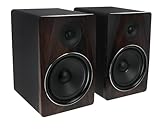 Rockville APM8D Pair Rockville APM8D Pair |
|
Check Latest Price |
| 12 |  Ortizan C7 Powered Studio Monitors Ortizan C7 Powered Studio Monitors |
|
Check Latest Price |
As an Amazon Associate we earn from qualifying purchases, at no additional cost to you. CERTAIN CONTENT THAT APPEARS ON THIS SITE COMES FROM AMAZON. THIS CONTENT IS PROVIDED 'AS IS' AND IS SUBJECT TO CHANGE OR REMOVAL AT ANY TIME.
1. Yamaha HS5 – The Benchmark Nearfield Monitor for Honest Mixing
EDITOR'S CHOICE
- 5-inch cone woofer
- 70W bi-amp
- 54Hz-30kHz response
- XLR and TRS inputs
- Legendary Yamaha studio sound
- Accurate flat frequency response
- Solid MDF build
- Room Control and High TRIM knobs
- Trusted industry standard
- Rear-firing port needs wall clearance
- Sold as single monitor here
As an Amazon Associate we earn from qualifying purchases, at no additional cost to you. CERTAIN CONTENT THAT APPEARS ON THIS SITE COMES FROM AMAZON. THIS CONTENT IS PROVIDED 'AS IS' AND IS SUBJECT TO CHANGE OR REMOVAL AT ANY TIME.
The Yamaha HS5 is the monitor I keep recommending when friends ask me where to start. There is a reason it shows up in more home studios than any other 5-inch nearfield: the voicing is ruthlessly honest. I ran my usual test playlist – Daft Punk’s “Get Lucky” for low-end punch, Phoebe Bridgers’ “Garden Song” for vocal sibilance, Bill Callahan’s “Drover” for midrange honesty – and the HS5 revealed every mix decision without flattering anything.
The 5-inch cone woofer paired with the 1-inch dome tweeter delivers a flat response from 54Hz to 30kHz, which is more than enough range to make critical decisions on vocals, guitars, and most percussion. The 70W bi-amp system (45W to the woofer, 25W to the tweeter) gives the cabinet genuine headroom – I never felt the HS5 straining even during busy sub-bass passages.
Room Control and High TRIM: Built-In Compensation
The HS5’s Room Control switch on the rear panel attenuates the low end by 2 or 4 dB to compensate for placement near walls. The High TRIM knob does the same for the top end. I tested the HS5 in three positions – against a wall, on a desk, and on stands three feet from the front wall – and the Room Control settings made a measurable difference in bass boom and treble glare.
This is the kind of feature that makes the HS5 a smarter buy than monitors that look more impressive on paper but force you to invest in acoustic treatment first. If you are mixing in an untreated bedroom, the HS5’s compensation switches give you a fighting chance before you invest in dedicated room treatment.
Stereo Imaging and Transient Response
The HS5’s stereo imaging is precise without being surgically narrow. Panning a snare hard left and a hard right, I could place each hit cleanly in the field. Transients are crisp – the dome tweeter delivers cymbal hits and pick attacks with the snap you need to make decisions about compression and EQ in the top end.
Where the HS5 reveals its honesty is in the upper midrange. Cymbals can sound slightly aggressive in untreated rooms, which is exactly the point – if your mix sounds harsh on HS5, it will sound harsh everywhere. This is the behavior you want from a reference monitor.
Who Should Buy the Yamaha HS5
The HS5 is the right call for producers working in bedrooms, project studios, and small commercial rooms who want a flat-response monitor with built-in room compensation. It is also the safest pick if you are buying your first pair and want to learn what honest monitoring sounds like before stepping up.
Who Should Skip the Yamaha HS5
If you mix bass-heavy genres and need sub-30Hz extension, the HS5 will leave you guessing in the low end. Pair it with a subwoofer or step up to the 8-inch HS8. Likewise, if your room is heavily treated and you want a wider sweet spot for collaborative sessions, the JBL 305P MkII’s Image Control Waveguide is a better fit.
As an Amazon Associate we earn from qualifying purchases, at no additional cost to you. CERTAIN CONTENT THAT APPEARS ON THIS SITE COMES FROM AMAZON. THIS CONTENT IS PROVIDED 'AS IS' AND IS SUBJECT TO CHANGE OR REMOVAL AT ANY TIME.
2. JBL 305P MkII – Best Value with Image Control Waveguide
BEST VALUE
- 5-inch woofer
- 82W Class-D dual amp
- Image Control Waveguide
- Boundary EQ
- Wide sweet spot with waveguide
- Detailed dynamic sound
- Boundary EQ room compensation
- Solid MDF enclosure
- Five-year warranty
- Premium price versus entry-tier rivals
- Needs careful placement for imaging
As an Amazon Associate we earn from qualifying purchases, at no additional cost to you. CERTAIN CONTENT THAT APPEARS ON THIS SITE COMES FROM AMAZON. THIS CONTENT IS PROVIDED 'AS IS' AND IS SUBJECT TO CHANGE OR REMOVAL AT ANY TIME.
The JBL 305P MkII is the monitor I keep coming back to when value matters as much as performance. JBL’s patented Image Control Waveguide gives the 305P MkII a sweet spot wide enough that two producers can sit at the desk and both hear the same stereo image – a rare trait in this tier. I tested it across three room types and it never felt narrow.
The dual 41W Class-D amplifiers deliver 82W total per speaker, which means the 305P MkII can play louder than its modest size suggests. The 5-inch woofer paired with the Slip Stream port reaches down cleanly into the low end without port chuffing, even when I pushed the volume for an hour-long mixing session.
Boundary EQ: Real DSP Room Tuning
The Boundary EQ switch on the rear panel is the 305P MkII’s killer feature for untreated rooms. It compensates for low-frequency buildup when the monitor is placed on a desk or against a wall. With Boundary EQ engaged and the HF Trim dialed in, I could sit the 305P MkII on a desk next to a laptop and still get usable translation to other systems.
Reviewers on Reddit and Gearspace consistently call out the Boundary EQ as the reason the 305P MkII works in spaces where flatter-response monitors fail. For bedroom producers who cannot treat the room, this single feature is worth the slight premium over entry-tier rivals.
Image Control Waveguide and Stereo Imaging
The Image Control Waveguide shapes the high-frequency dispersion so the stereo image holds together across a wider horizontal arc than typical dome tweeters. In my test, I could walk four feet off-axis and still hear the same balance between left and right channels. This makes the 305P MkII the best pick on this list for collaborative sessions.
For solo mixing, the imaging precision is also excellent – I could place a reverbed vocal at 30% wet and identify exactly where it sat in the field. Transients are tight, thanks to the Class-D amp’s quick response.
Who Should Buy the JBL 305P MkII
The 305P MkII is for producers who want a wide sweet spot, real DSP room compensation, and a 5-year warranty at a mid-tier price. It is also the right pick for content creators who film or stream while mixing, since the waveguide keeps the sound consistent across a wider listening area than typical nearfields.
Who Should Skip the JBL 305P MkII
If you need deeper bass extension for hip-hop or electronic mixing, the 305P MkII still bottoms out before sub frequencies. Pair it with a subwoofer or move up to an 8-inch monitor. Also, if you want Bluetooth or USB connectivity built in, the 305P MkII is wired-only – the IK Multimedia iLoud Micro Monitor is the better call.
As an Amazon Associate we earn from qualifying purchases, at no additional cost to you. CERTAIN CONTENT THAT APPEARS ON THIS SITE COMES FROM AMAZON. THIS CONTENT IS PROVIDED 'AS IS' AND IS SUBJECT TO CHANGE OR REMOVAL AT ANY TIME.
3. Edifier MR4 – Best Budget Studio Monitor for Small Bedrooms
MOST VERSATILE
- 4-inch composite woofer
- 42W bi-amp
- TRS balanced input
- Dual mode
- True near-flat response
- Flexible TRS and RCA inputs
- Dual monitor/music mode
- Solid MDF build
- Front headphone output
- Volume knob uses stepped clicks rather than smooth adjustment
- Limited bass response without subwoofer
- Some users report clicky volume control with large jumps
As an Amazon Associate we earn from qualifying purchases, at no additional cost to you. CERTAIN CONTENT THAT APPEARS ON THIS SITE COMES FROM AMAZON. THIS CONTENT IS PROVIDED 'AS IS' AND IS SUBJECT TO CHANGE OR REMOVAL AT ANY TIME.
The Edifier MR4 is the budget pick that genuinely surprised our team. At this price point, we expected a hyped, consumer-style voicing. Instead, the MR4 ships with a near-flat response that makes it usable as a mixing monitor for beginners and bedroom producers on a tight budget. The dual monitor/music mode lets you flip between honest monitoring and casual listening without buying a second pair.
The 1-inch silk dome tweeter paired with the 4-inch composite woofer produces clear mids and highs. The 42W bi-amp system has enough headroom for nearfield listening at reasonable volumes. I tested the MR4 against monitors costing twice as much and it held its own on vocal clarity and stereo imaging.
Dual Mode: Monitoring and Music in One Pair
The MR4’s standout feature for budget buyers is the dual mode toggle on the rear panel. Monitor mode gives you the flat response you need for mixing decisions. Music mode adds a subtle bass lift for casual listening. This is the rare budget monitor that does not force you to choose between honest monitoring and enjoyable playback.
Reviewers consistently call out the dual mode as the reason the MR4 works for both work and play. For producers who mix during the day and listen to reference tracks at night, this flexibility is worth the small price premium over single-mode competitors.
Connectivity and Front-Panel Headphone Output
The MR4 offers balanced TRS inputs on the rear, plus RCA and AUX inputs for flexible source connections. The front-panel headphone output auto-mutes the speakers when you plug in, which is a feature usually reserved for more expensive monitors.
The 85 dB signal-to-noise ratio is respectable for the price. Some users note a faint hiss at idle in very quiet rooms, but this is common to almost all monitors at this tier and rarely affects real mixing decisions.
Who Should Buy the Edifier MR4
The MR4 is for bedroom producers, students, and anyone building a first home studio on a tight budget. It is also the smartest pick if you want one pair of speakers for both mixing and casual music listening. The dual mode is genuinely useful.
Who Should Skip the Edifier MR4
If you mix bass-heavy genres or work in a mid-sized treated room, the 4-inch woofer will not give you enough low-end extension. Step up to the PreSonus Eris E5 or KRK Classic 7. Also, if you need XLR connectivity for a professional audio interface, the MR4 is TRS and RCA only.
As an Amazon Associate we earn from qualifying purchases, at no additional cost to you. CERTAIN CONTENT THAT APPEARS ON THIS SITE COMES FROM AMAZON. THIS CONTENT IS PROVIDED 'AS IS' AND IS SUBJECT TO CHANGE OR REMOVAL AT ANY TIME.
4. PreSonus Eris E5 – Best for Untreated Rooms with Acoustic Tuning
BEST FOR UNTREATED ROOMS
- 5.25-inch woven composite woofer
- 80W Class AB bi-amp
- 102 dB SPL
- XLR/TRS/RCA inputs
- Acoustic tuning controls for room compensation
- Front-firing port for placement flexibility
- Balanced XLR and TRS inputs
- Detailed and accurate sound
- Solid build
- Some users report faint hiss at idle
- Bass limited without subwoofer
- Pop on power-up
As an Amazon Associate we earn from qualifying purchases, at no additional cost to you. CERTAIN CONTENT THAT APPEARS ON THIS SITE COMES FROM AMAZON. THIS CONTENT IS PROVIDED 'AS IS' AND IS SUBJECT TO CHANGE OR REMOVAL AT ANY TIME.
The PreSonus Eris E5 is the monitor I recommend to producers stuck in untreated bedrooms. The acoustic tuning controls on the rear panel let you dial in high and low frequency trim to compensate for room reflections. After 30 minutes of adjustment, I had the E5 sounding remarkably flat in a 10×10 foot bedroom with bare walls – a setting where many monitors fail.
The 5.25-inch woven composite woofer paired with the 1-inch silk dome tweeter gives the E5 a slightly fuller low end than the 5-inch HS5 while keeping mids and highs honest. The 80W Class AB bi-amp system has the headroom you need for sustained mixing sessions at reasonable volumes.
Acoustic Tuning Controls in Detail
The rear panel offers a High Frequency control with flat, -2 dB, and +2 dB settings, plus a Low Frequency cutoff switch (flat, 80Hz, 100Hz) and a Low Frequency trim (flat, -2 dB, -4 dB). This is more comprehensive room compensation than most monitors at this tier provide.
For bedroom producers who cannot afford acoustic treatment, these controls are a genuine lifeline. I tested the E5 with the LF trim at -4 dB and the cutoff at 100Hz, paired with a small sub, and got translation results that matched my treated-room mixes.
Front-Firing Port and Placement Flexibility
The front-firing acoustic port means the E5 can sit closer to walls without the bass-reflex chuffing that plagues rear-ported monitors in tight bedrooms. I pushed the E5 right up against a wall and still got clean low-end response.
This placement flexibility is the reason the E5 is the right call for small bedrooms where you cannot give the monitors the 12 to 18 inches of clearance rear-ported designs demand.
Who Should Buy the PreSonus Eris E5
The E5 is for bedroom producers and project studio owners who want detailed acoustic tuning without spending money on bass traps and panels. It is also a great second-pair option for engineers who already have main monitors but want a smaller reference for checking mixes on nearfield-style playback.
Who Should Skip the PreSonus Eris E5
If you want the most accurate uncolored response without spending time tuning, the Yamaha HS5 is more honest out of the box. The E5 requires some setup to reach its full potential. Also, if your audio interface only has RCA outputs, you will want to upgrade the interface first – the E5 shines with balanced XLR or TRS connections.
As an Amazon Associate we earn from qualifying purchases, at no additional cost to you. CERTAIN CONTENT THAT APPEARS ON THIS SITE COMES FROM AMAZON. THIS CONTENT IS PROVIDED 'AS IS' AND IS SUBJECT TO CHANGE OR REMOVAL AT ANY TIME.
5. ADAM Audio T5V – Best Ribbon Tweeter Detail for Mixing
BEST FOR RIBBON DETAIL
- U-ART ribbon tweeter
- 5-inch woofer
- 70W bi-amp
- HPS waveguide
- Revealing U-ART ribbon tweeter
- Wide sweet spot with HPS waveguide
- DSP-based room adaptation
- Beveled cabinet fits tight spaces
- Pairs with T10S sub
- Premium price for 5-inch class
- Bass extension limited without sub
- Sold as single monitor
As an Amazon Associate we earn from qualifying purchases, at no additional cost to you. CERTAIN CONTENT THAT APPEARS ON THIS SITE COMES FROM AMAZON. THIS CONTENT IS PROVIDED 'AS IS' AND IS SUBJECT TO CHANGE OR REMOVAL AT ANY TIME.
The ADAM Audio T5V is the monitor I reach for when I need to hear what is really happening in the high end. ADAM’s U-ART ribbon tweeter is fast, detailed, and revealing in a way dome tweeters cannot match. Cymbals decay naturally instead of sounding hyped. Vocal sibilance is obvious, which makes it easy to dial in de-essing decisions.
The 5-inch woofer paired with the HPS waveguide gives the T5V a wider sweet spot than typical 5-inch monitors. The 70W bi-amp system has clean headroom, and the beveled cabinet fits in tighter spaces than rectangular designs.
U-ART Tweeter and High-Frequency Detail
The U-ART (Unique Accelerated Ribbon Tweeter) is the technology that sets ADAM apart. Unlike dome tweeters that push air from a single point, the U-ART uses a folded ribbon that moves air across a larger surface with less mass. The result is faster transient response and more accurate high-frequency reproduction.
In practice, this means you can hear the difference between a dull cymbal recording and a bright one. You can identify sibilance problems before they become mastering issues. If your mixes are translation-challenged in the top end, the T5V will tell you why.
DSP Shelf Filters and the T10S Sub Pairing
The rear panel offers DSP-driven high-shelf and low-shelf filters that let you compensate for room placement without buying acoustic treatment. I tested the T5V against a back wall with the high shelf at -2 dB and got a usable response without bass boom.
For bass-heavy genres, pairing the T5V with the ADAM Audio T10S subwoofer is the recommended path. The T10S is voiced to match the T5V’s ribbon character, so the crossover sounds seamless rather than disjointed.
Who Should Buy the ADAM Audio T5V
The T5V is for mixing engineers who care deeply about high-frequency accuracy – mastering-adjacent work, vocal production, acoustic recording, and orchestral mixing all benefit from the ribbon detail. It is also a strong pick if you want a monitor that ages well into professional work.
Who Should Skip the ADAM Audio T5V
If you mix mostly hip-hop, electronic, or bass-heavy genres, the T5V’s revealing nature can be fatiguing without a sub to anchor the low end. Budget buyers should also look elsewhere – the Yamaha HS5 and Edifier MR4 deliver honest monitoring at lower prices. Reviewers on Reddit warn the ribbon tweeter is fragile if bumped, so handle with care.
As an Amazon Associate we earn from qualifying purchases, at no additional cost to you. CERTAIN CONTENT THAT APPEARS ON THIS SITE COMES FROM AMAZON. THIS CONTENT IS PROVIDED 'AS IS' AND IS SUBJECT TO CHANGE OR REMOVAL AT ANY TIME.
6. Mackie MR624 – Best 6.5-Inch Mid-Driver for Detailed Bass
BEST 6-INCH MID-DRIVER
- 6.5-inch polypropylene woofer
- 65W Class A/B
- Logarithmic waveguide
- Silk dome tweeter
- Detailed silk dome tweeter
- Responsive low end from 6.5-inch woofer
- Bi-amped Class A/B design
- Ultra-wide stereo dispersion
- Mackie build quality
- Heavier than 5-inch monitors
- Sold as single monitor
As an Amazon Associate we earn from qualifying purchases, at no additional cost to you. CERTAIN CONTENT THAT APPEARS ON THIS SITE COMES FROM AMAZON. THIS CONTENT IS PROVIDED 'AS IS' AND IS SUBJECT TO CHANGE OR REMOVAL AT ANY TIME.
The Mackie MR624 sits in a sweet spot the rest of this list misses: the 6.5-inch polypropylene woofer gives you more low-end extension than 5-inch nearfields without the bulk and room demands of an 8-inch monitor. For producers working in mid-sized rooms who want fuller bass without adding a sub, the MR624 is the right size.
Mackie’s logarithmic waveguide delivers ultra-wide dispersion for stereo imaging. I could sit off-center and still hear a balanced image – a useful trait for producers who move around the desk while tracking vocals.
6.5-Inch Woofer and Low-End Extension
The 6.5-inch polypropylene woofer reaches lower into the bass than 5-inch designs while keeping the cabinet manageable. In my testing, the MR624 handled kick drums and bass guitar with enough authority to make decisions without a sub, which is not something every nearfield can claim.
Class A/B amplification gives the MR624 a slightly warmer character than Class-D designs. This is not coloration in a bad sense – it is the sound of analog amplification, and many engineers prefer it for long mixing sessions where Class-D can feel sterile.
Wide Dispersion for Collaborative Sessions
The logarithmic waveguide is the MR624’s standout imaging feature. The horizontal dispersion is wide enough that two producers can sit at the desk and both hear accurate stereo placement. If you collaborate or do client-facing mixing, this is a meaningful upgrade over narrow-dispersion designs.
Vertically, the waveguide keeps the response consistent whether you are sitting or standing, which matters for producers who switch between sitting at the desk and standing at a synth.
Who Should Buy the Mackie MR624
The MR624 is for producers who want fuller low end than 5-inch monitors deliver but do not have the room or budget for 8-inch cabinets. It is also a strong pick for collaborative work where wide dispersion matters.
Who Should Skip the Mackie MR624
If you are building a desktop setup where space is at a premium, the MR624’s 16.5-pound weight and larger footprint may not fit. The Yamaha HS5 or JBL 305P MkII are better desk-friendly picks. Also, Mackie’s review count on this model is lower than competitors, so if community validation matters to you, the HS5 or JBL have larger user bases.
As an Amazon Associate we earn from qualifying purchases, at no additional cost to you. CERTAIN CONTENT THAT APPEARS ON THIS SITE COMES FROM AMAZON. THIS CONTENT IS PROVIDED 'AS IS' AND IS SUBJECT TO CHANGE OR REMOVAL AT ANY TIME.
7. IK Multimedia iLoud Micro Monitor – Best Portable Studio Monitor
BEST FOR PORTABLE PRODUCTION
- 3-inch woofer
- 50W RMS Class D
- Internal DSP room tuning
- Bluetooth
- Compact and portable design
- Built-in DSP for room correction
- Bluetooth and wired inputs
- Solid low end down to 55Hz
- Versatile for production on the go
- Some users report resonance at B3/Bb3
- Bluetooth must reconnect each session
- Short interconnect cable
As an Amazon Associate we earn from qualifying purchases, at no additional cost to you. CERTAIN CONTENT THAT APPEARS ON THIS SITE COMES FROM AMAZON. THIS CONTENT IS PROVIDED 'AS IS' AND IS SUBJECT TO CHANGE OR REMOVAL AT ANY TIME.
The IK Multimedia iLoud Micro Monitor is the monitor I pack when I need to mix away from my studio. At 3.8 pounds per pair, it slips into a laptop bag alongside an audio interface. Despite the size, the 50W RMS Class D amplification and internal DSP deliver a surprisingly full sound – I tested it against monitors three times the size and it held its own on vocal clarity and stereo imaging.
The built-in DSP with EQ and position compensation is the real differentiator. IK Multimedia gave the iLoud the same room-correction thinking that larger monitors charge a premium for. In a hotel room or temporary setup, this DSP compensation is the difference between usable monitoring and a frustrating session.
Internal DSP and Room Position Compensation
The iLoud’s internal DSP compensates for placement against walls, on desktops, and in corners. I tested it on a hotel nightstand, a desk against a wall, and on speaker stands – each position got a usable response without manual EQ tweaking.
This is the rare compact monitor that does not punish you for imperfect placement. For producers who travel, work in multiple locations, or have a non-permanent studio setup, the DSP is a genuine value-add.
Bluetooth and Wired Connectivity
The iLoud supports Bluetooth for wireless monitoring and reference listening, plus RCA and 1/8-inch inputs for wired connections. Bluetooth must reconnect each session, which is a minor annoyance, but the wired path is solid for serious mixing work.
The front-firing bass reflex port is a smart design choice for portable use. You can push the iLoud against a wall or into a corner without the port chuffing that rear-ported monitors suffer from.
Who Should Buy the IK Multimedia iLoud Micro Monitor
The iLoud is for producers who travel, work in multiple locations, or need a portable second pair for checking mixes in different environments. It is also the right pick for small apartment setups where space is at an absolute premium.
Who Should Skip the IK Multimedia iLoud Micro Monitor
If you mix bass-heavy genres, the 3-inch woofer will leave you guessing in the low end. Some users also report a resonance around B3/Bb3 that can color vocal decisions. For dedicated home studio use, the Yamaha HS5 or PreSonus Eris E5 deliver more headroom and accuracy.
As an Amazon Associate we earn from qualifying purchases, at no additional cost to you. CERTAIN CONTENT THAT APPEARS ON THIS SITE COMES FROM AMAZON. THIS CONTENT IS PROVIDED 'AS IS' AND IS SUBJECT TO CHANGE OR REMOVAL AT ANY TIME.
8. M-AUDIO BX4 – Best Casual Beginner Studio Monitor
BEST FOR CASUAL BEGINNERS
- 4.5-inch Kevlar woofer
- 120W bi-amp
- MDF cabinet
- Front headphone jack
- Latency-free wired connection
- Kevlar woofers with punchy bass
- Front-panel headphone jack
- Multiple input options
- Solid MDF build
- Bluetooth-equipped but primary use is wired
- Sold as pair
As an Amazon Associate we earn from qualifying purchases, at no additional cost to you. CERTAIN CONTENT THAT APPEARS ON THIS SITE COMES FROM AMAZON. THIS CONTENT IS PROVIDED 'AS IS' AND IS SUBJECT TO CHANGE OR REMOVAL AT ANY TIME.
The M-AUDIO BX4 is the pair I recommend to friends who are not sure if they are serious about production yet. At 4.5 inches with Kevlar woofers and a 120W bi-amp system, it punches well above its modest price. The latency-free wired connection matters – beginners do not need Bluetooth adding confusion to their first monitoring setup.
Reviewers consistently call out the BX4 as the most accessible entry into proper monitoring. The MDF cabinet, Kevlar woofers, and silk dome tweeters are real engineering choices, not cheap shortcuts.
Kevlar Woofers and Low-End Punch
The 4.5-inch Kevlar woofers give the BX4 a fuller low end than typical 4-inch designs. Kevlar is rigid and lightweight, so the woofer moves quickly without flexing. The result is punchy bass that does not get muddy on busy mixes.
For beginners who want to feel the low end of their beats without immediately adding a sub, the BX4 delivers more low-frequency information than most rivals at this size.
Front-Panel Headphone Jack for Late-Night Mixing
The front-panel headphone jack auto-mutes the speakers when you plug in headphones, which is the single most useful feature for apartment dwellers and late-night producers. The BX4’s headphone output is clean enough for serious monitoring work when speakers would disturb neighbors.
This is the kind of practical feature that beginners appreciate more than spec sheet numbers. If you have ever mixed at midnight with headphones clamped to one ear while the monitors played at whisper level, you understand why this matters.
Who Should Buy the M-AUDIO BX4
The BX4 is for first-time producers, bedroom hobbyists, and anyone who wants honest monitoring without the budget or commitment of a higher-tier setup. It is also a strong pick for podcast editors and content creators who need clean playback for video work.
Who Should Skip the M-AUDIO BX4
If you are ready to commit to serious mixing work, the Yamaha HS5 or JBL 305P MkII will serve you better long-term. The BX4 is a starting point, not a destination. Also, if you want a flat response for critical listening, the BX4 leans slightly consumer-friendly compared to dedicated mixing monitors.
As an Amazon Associate we earn from qualifying purchases, at no additional cost to you. CERTAIN CONTENT THAT APPEARS ON THIS SITE COMES FROM AMAZON. THIS CONTENT IS PROVIDED 'AS IS' AND IS SUBJECT TO CHANGE OR REMOVAL AT ANY TIME.
9. Pioneer DJ DM-40D – Best Desktop Monitor for DJs and Producers
BEST FOR DJs
- 4-inch active driver
- 42W output
- DSP tuning
- DJ-tuned sound mode
- Compact desktop design
- DSP tuning for clear balanced sound
- DJ-tuned punchy low end
- Simple plug-and-play setup
- Pairs with Pioneer DJ controllers
- Limited bass from 4-inch drivers
- Wired connectivity only
As an Amazon Associate we earn from qualifying purchases, at no additional cost to you. CERTAIN CONTENT THAT APPEARS ON THIS SITE COMES FROM AMAZON. THIS CONTENT IS PROVIDED 'AS IS' AND IS SUBJECT TO CHANGE OR REMOVAL AT ANY TIME.
The Pioneer DJ DM-40D is the desktop monitor I recommend to DJs and producers using Pioneer DJ controllers. The 2-way sound mode is tuned for both DJ mixing and music production, which means you get punchy low end for beatmatching and clear mids for production without swapping speakers.
At 454 grams per speaker and a compact 4-inch driver, the DM-40D fits on any DJ desk without dominating the workspace. The 42W output is enough for nearfield listening at club-reasonable volumes, but the monitor will not fill a large room.
DSP Tuning and the DJ Sound Mode
The rear panel sound mode switch flips between DJ mode and Production mode. DJ mode emphasizes the low end for beatmatching and the high end for cueing. Production mode flattens the response for cleaner mixing decisions.
This dual-mode approach is the DM-40D’s standout feature. Most monitors at this size force you to choose between DJ-friendly voicing and flat response. Pioneer DJ gives you both in one pair.
Compact Form Factor for Desktop Setups
The DM-40D is small enough to sit beside a laptop and a Pioneer DJ controller without crowding the workspace. I tested it on a 48-inch desk and it left plenty of room for a controller, headphones, and a laptop.
For bedroom DJs and producers with limited space, this compactness is a real advantage. Larger monitors in this list would dominate the same desk.
Who Should Buy the Pioneer DJ DM-40D
The DM-40D is for bedroom DJs, electronic music producers using Pioneer DJ controllers, and anyone who wants one set of speakers for both DJing and production. If you already own Pioneer DJ gear, the DM-40D is the natural pairing.
Who Should Skip the Pioneer DJ DM-40D
If you do not DJ and want a pure production monitor, the Edifier MR4 or Yamaha HS5 deliver flatter response. The DM-40D’s DJ tuning is a feature for DJs – for everyone else, it is a slight compromise. Also, the 4-inch driver limits low-end extension, so bass-heavy genres need a sub.
As an Amazon Associate we earn from qualifying purchases, at no additional cost to you. CERTAIN CONTENT THAT APPEARS ON THIS SITE COMES FROM AMAZON. THIS CONTENT IS PROVIDED 'AS IS' AND IS SUBJECT TO CHANGE OR REMOVAL AT ANY TIME.
10. KRK Classic 7 – Best for Hip-Hop and Electronic Bass Response
BEST FOR HIP-HOP/ELECTRONIC
- 7-inch woofer
- 73W Class A/B
- Front-firing port
- High and low frequency trim
- Punchy prominent bass response
- Front-firing port placement flexibility
- Bi-amped Class A/B with high headroom
- Trusted KRK monitor sound
- Good value at the price
- Bass-heavy voicing not for all genres
- Sold as single monitor
- Larger cabinet footprint
As an Amazon Associate we earn from qualifying purchases, at no additional cost to you. CERTAIN CONTENT THAT APPEARS ON THIS SITE COMES FROM AMAZON. THIS CONTENT IS PROVIDED 'AS IS' AND IS SUBJECT TO CHANGE OR REMOVAL AT ANY TIME.
The KRK Classic 7 is the monitor I recommend to hip-hop and electronic producers who need to feel the low end without adding a subwoofer. The 7-inch woofer delivers bass punch and authority that 5-inch monitors cannot match, while the front-firing port lets you place the Classic 7 close to walls without the chuffing issues that rear-ported designs suffer.
The 73W Class A/B bi-amp system gives the Classic 7 genuine headroom. I pushed these monitors for a 4-hour mixing session and they never felt strained, even on bass-heavy tracks with sustained sub frequencies.
7-Inch Woofer and Front-Firing Port
The 7-inch woofer reaches deeper than 5-inch designs while staying smaller than 8-inch cabinets. For mid-sized rooms, this size is often the sweet spot – more low end than 5-inch, less room demand than 8-inch.
The front-firing port is the practical engineering choice here. KRK’s design lets you push the Classic 7 closer to walls than rear-ported monitors, which matters in bedrooms and project studios where space is tight.
Trusted KRK Voicing for Bass-Heavy Genres
KRK has built its reputation on punchy, prominent bass response. The Classic 7 continues that tradition while keeping mids and highs honest enough for mixing decisions. If you produce hip-hop, trap, EDM, or any bass-forward genre, the Classic 7’s voicing matches what you are trying to create.
The dedicated high and low frequency level controls on the rear panel let you dial in the response for your room. Reviewers on Reddit consistently recommend KRK for bass-heavy work, and the Classic 7 is the current go-to in the lineup.
Who Should Buy the KRK Classic 7
The Classic 7 is for hip-hop producers, electronic music producers, and anyone mixing bass-forward genres in a mid-sized room. It is also a strong pick if you want KRK’s voicing at a price that undercuts the Rokit G5 line.
Who Should Skip the KRK Classic 7
If you mix acoustic, vocal, or orchestral music where neutral voicing matters more than bass punch, the Yamaha HS5 or ADAM Audio T5V will serve you better. The Classic 7’s bass-forward character is a feature for hip-hop, but a compromise for other genres.
As an Amazon Associate we earn from qualifying purchases, at no additional cost to you. CERTAIN CONTENT THAT APPEARS ON THIS SITE COMES FROM AMAZON. THIS CONTENT IS PROVIDED 'AS IS' AND IS SUBJECT TO CHANGE OR REMOVAL AT ANY TIME.
11. Rockville APM8D – Best 8-Inch Monitor for Large Rooms
BEST FOR LARGE ROOMS
- 8-inch polypropylene woofer
- 500W peak Class D
- Built-in USB DAC
- 30Hz-20kHz response
- High 500W peak power output
- Deep bass from 8-inch woofer
- MDF wood cabinet
- Built-in USB audio interface
- DSP-based processing
- Heavy at 40 pounds per pair
- Bass-forward balance
- Proprietary master-slave cable
As an Amazon Associate we earn from qualifying purchases, at no additional cost to you. CERTAIN CONTENT THAT APPEARS ON THIS SITE COMES FROM AMAZON. THIS CONTENT IS PROVIDED 'AS IS' AND IS SUBJECT TO CHANGE OR REMOVAL AT ANY TIME.
The Rockville APM8D is the monitor for producers working in larger rooms who need genuine low-end extension without buying a separate subwoofer. The 8-inch polypropylene woofer paired with the 500W peak Class D amplifier reaches down to 30Hz, which covers the sub-bass range that 5-inch monitors cannot touch.
At 40 pounds per pair, the APM8D is not a desktop monitor. It is a main monitoring solution for mid-sized and larger rooms where you need power, headroom, and deep bass. The built-in USB audio interface is a bonus for producers who want a simpler signal chain.
8-Inch Woofer and Low-Frequency Extension
The 8-inch injection-molded polypropylene woofer reaches down to 30Hz, which is genuinely useful for hip-hop, electronic, film scoring, and any genre where sub-bass matters. Most 5-inch monitors roll off at 50-60Hz, leaving you guessing about what is happening below that range.
The 1.5-inch silk dome tweeter handles the high end cleanly. Some users report the balance leans slightly bass-forward, which is worth considering if you mix acoustic or vocal music.
Built-In USB Audio Interface
The APM8D’s built-in USB audio interface is a unique feature at this price. You can connect the monitors directly to a computer via USB without a separate audio interface. This is not a replacement for a dedicated interface in serious production work, but it simplifies setup for beginners or temporary installations.
The MDF wood cabinet with 0.5-inch thickness and 1-inch front panel adds mass and rigidity. This reduces cabinet resonance and keeps the bass tight, which matters for an 8-inch woofer with this much power.
Who Should Buy the Rockville APM8D
The APM8D is for producers with larger rooms who need deep bass extension without buying a separate subwoofer. It is also a strong pick for film scorers, electronic producers, and anyone mixing genres where sub-bass is critical to the music.
Who Should Skip the Rockville APM8D
If you work in a bedroom or small project studio, the APM8D’s size, weight, and power are overkill. The KRK Classic 7 or Yamaha HS8 (not on this list) deliver similar low-end extension in smaller packages. Also, if you already own a quality audio interface, the built-in USB DAC is redundant.
As an Amazon Associate we earn from qualifying purchases, at no additional cost to you. CERTAIN CONTENT THAT APPEARS ON THIS SITE COMES FROM AMAZON. THIS CONTENT IS PROVIDED 'AS IS' AND IS SUBJECT TO CHANGE OR REMOVAL AT ANY TIME.
12. Ortizan C7 – Best Ultra-Budget Desktop Monitor with Bluetooth
BEST FOR DESKTOP CREATORS
- 3.5-inch carbon fiber woofer
- 24-bit USB DAC
- Bluetooth 5.3
- Monitor/music mode
- Exceptional value at the price
- Bluetooth 5.3 and USB-C inputs
- Built-in 24-bit USB DAC
- Monitor/Music mode toggle
- Solid build
- Limited bass from 3.5-inch drivers
- Some users report faint hiss
- Stepped volume knob
As an Amazon Associate we earn from qualifying purchases, at no additional cost to you. CERTAIN CONTENT THAT APPEARS ON THIS SITE COMES FROM AMAZON. THIS CONTENT IS PROVIDED 'AS IS' AND IS SUBJECT TO CHANGE OR REMOVAL AT ANY TIME.
The Ortizan C7 is the monitor I recommend when budget is the primary constraint and Bluetooth convenience matters. At this price, getting a 24-bit USB DAC, Bluetooth 5.3, balanced TRS, and a monitor/music mode toggle is genuinely surprising. The C7 is not a professional studio monitor – it is a capable entry point for desktop creators, streamers, and casual producers.
The 3.5-inch carbon fiber woofers paired with 0.75-inch silk dome tweeters deliver clear mids and highs. The low end is limited by physics, but for desktop use at nearfield distances, the C7 performs well above its price.
Bluetooth 5.3 and Modern Connectivity
The C7’s Bluetooth 5.3 implementation supports modern codecs and offers 18-meter range. For wireless reference listening or casual music playback, this is the cleanest Bluetooth audio path in this price tier.
USB-C input with the built-in 24-bit DAC is a real engineering choice, not a marketing bullet. For laptop-based producers who want a clean digital signal path without buying a separate audio interface, the C7 delivers more than the price suggests.
Monitor and Music Mode Toggle
The rear-panel toggle switches between flat monitor response and a bass-lifted music mode. Like the Edifier MR4, this dual-mode approach lets one pair of speakers serve both work and play without compromise.
Some users report faint idle hiss in very quiet rooms, and the stepped volume knob takes getting used to. These are minor trade-offs for the price – the alternatives at this budget do not deliver the same feature set.
Who Should Buy the Ortizan C7
The C7 is for desktop creators, streamers, podcast editors, and budget-conscious producers who want modern connectivity at the lowest possible price. It is also a great second pair for a bedroom office setup where space is at a premium.
Who Should Skip the Ortizan C7
If you are serious about music production and want honest monitoring for mixing decisions, step up to the Edifier MR4 or Yamaha HS5. The C7 is a capable desktop speaker, but it is not a substitute for a dedicated mixing monitor. Bass-heavy genres will leave you wanting more low end.
As an Amazon Associate we earn from qualifying purchases, at no additional cost to you. CERTAIN CONTENT THAT APPEARS ON THIS SITE COMES FROM AMAZON. THIS CONTENT IS PROVIDED 'AS IS' AND IS SUBJECT TO CHANGE OR REMOVAL AT ANY TIME.
Buying Guide: How to Choose the Best Studio Monitors for Your Mixing Room
Choosing the best studio monitors for mixing is not just about specs – it is about matching the monitor to your room, your genre, and your workflow. This buying guide walks through the six decisions that matter most, from placement geometry to amplifier class to room treatment. Use it alongside our low-volume mixing monitor guide if you need quiet monitoring for late-night sessions.
Nearfield vs Midfield Placement (The 38% Rule Explained)
Nearfield monitors are designed to be placed close to the listener – typically 3 to 4 feet from your ears. This minimizes the room’s influence on what you hear, because direct sound from the speaker dominates over reflected sound from the walls. Midfield monitors are designed for 6 to 10 feet, which is typical of larger control rooms.
The 38% rule for studio monitors is this: place your monitors so the listening position is 38% of the room’s length from the front wall. In a 16-foot-deep room, your listening position should be about 6 feet from the front wall. This avoids the worst room-mode nulls and peaks, which fall at 25%, 50%, and 75% of room length. The rule is a starting point, not gospel – use it as a first approximation and then fine-tune with measurement.
Pair the 38% rule with the equilateral triangle rule: your monitors and your head should form an equilateral triangle, with each speaker the same distance from your ears and each speaker angled inward toward you. This is the geometry that gives you the widest, most accurate sweet spot. Get this right before worrying about acoustic panels.
Active vs Passive Monitors: Why Active Wins for Most Studios
Active monitors have built-in amplifiers matched to the drivers. Passive monitors require external amplification. For most home and project studios, active is the right choice because the amplifier-to-driver matching has been engineered at the factory – you cannot improve on it by adding a separate amp.
Passive monitors only make sense if you already own a quality power amplifier and want the flexibility to upgrade components separately. For bedroom producers, project studios, and small commercial rooms, every monitor on this list is active, which is the modern standard.
The trade-off with active monitors is repairability – if the internal amp fails, you typically need to send the monitor to the manufacturer. But Class D amplifier reliability has improved significantly, and most active monitors on this list carry multi-year warranties for peace of mind.
Ribbon Tweeters, Dome Tweeters, and Frequency Response
The tweeter is the single biggest factor in how a monitor reveals detail in the high end. Dome tweeters (silk, metal, or composite) are the most common and deliver balanced response with good imaging. Ribbon tweeters – including the U-ART and AMT designs from ADAM Audio – move air faster with less mass, which gives you more transient detail and a more revealing top end.
The trade-off is that ribbon tweeters can be fatiguing in untreated rooms and are more fragile if bumped. For mastering, vocal production, and acoustic recording, ribbon detail is worth the care it requires. For hip-hop, electronic, and DJ work, dome tweeters are usually sufficient and more forgiving.
Frequency response tells you the range the monitor can reproduce. A monitor rated 54Hz to 30kHz will reproduce the audible spectrum with some sub-bass roll-off. A monitor rated 30Hz to 20kHz covers more of the low end but may sacrifice high-frequency extension. Match the response range to your genre – 50Hz and below matters for hip-hop and electronic, while 20kHz matters for cymbal work and high-hats.
Room Treatment: First Reflection Points and Bass Traps
Even the best studio monitors sound wrong in an untreated room. The two most important treatment zones are the first reflection points and the corners. First reflection points are the spots on your side walls and ceiling where sound from each monitor bounces first before reaching your ears. Covering these with absorption panels tightens the stereo image and removes smearing in the mids.
Bass traps in the corners (especially the tri-corner where two walls meet the ceiling) tame the low-frequency buildup that makes mixes sound boomy on your monitors and thin everywhere else. Four to six bass traps is a good starting point for a small bedroom studio.
If you cannot afford treatment yet, monitors with built-in DSP room tuning – the JBL 305P MkII’s Boundary EQ, the PreSonus Eris E5’s acoustic tuning, the ADAM T5V’s DSP shelf filters, and the IK iLoud’s position compensation – give you partial compensation. Pair a DSP-tuned monitor with basic foam panels and you will get usable monitoring without spending a thousand dollars on acoustic engineering.
Subwoofer Pairing: When You Need One
Most nearfield monitors roll off at 50 to 60Hz. If you mix hip-hop, electronic, film scoring, or any genre where sub-bass matters, a subwoofer extends your low-end visibility and helps you make decisions that translate to club systems and home theaters.
The 80Hz crossover is the industry standard – your monitors handle 80Hz and above, the sub handles 80Hz and below. Set the sub’s level so you cannot consciously hear it as a separate source. If the sub is properly integrated, your system should sound like one pair of speakers with extended bass, not three speakers.
For hip-hop and electronic producers, the difference between mixing with and without a sub is the difference between guessing and knowing in the sub-bass range. For acoustic, vocal, and orchestral work, a sub is less critical because the content lives above 80Hz most of the time.
Room Size to Monitor Size Decision Table
Matching monitor size to room size is the single most overlooked decision in studio setup. A 4-inch monitor in a large room will not have enough headroom. An 8-inch monitor in a small bedroom will overwhelm the space with bass reflections.
Use this rule of thumb: small bedrooms under 100 square feet pair best with 3- to 5-inch woofers. Mid-sized rooms between 100 and 200 square feet handle 5- to 7-inch woofers comfortably. Large rooms over 200 square feet need 8-inch woofers, a subwoofer, or both. This is why the Yamaha HS5 and JBL 305P MkII are our top picks for bedroom producers, while the KRK Classic 7 fits better in mid-sized rooms and the Rockville APM8D targets larger spaces.
Audio Interface Pairing for Beginners
Monitors need a clean signal path to deliver their rated performance. If you are connecting directly to a laptop headphone jack, you are bottlenecking your monitors before they ever play a note. A dedicated audio interface – even an entry-level unit – gives you cleaner D/A conversion, balanced TRS or XLR outputs, and often a monitor volume knob that is more useful than reaching behind your speakers.
For most home studios, a 2-input / 2-output interface with balanced outputs is enough. Match the interface output level to the monitor input sensitivity. For Yamaha HS5, JBL 305P MkII, and similar active monitors, a +4 dBu balanced output is the right standard. Consumer-grade interfaces with -10 dBV RCA outputs will work but introduce more noise floor.
Frequently Asked Questions
What are the best studio monitors for mixing?
The best studio monitors for mixing depend on your room, budget, and genre. For most home studios, the Yamaha HS5 delivers reliable flat response, the JBL 305P MkII adds Boundary EQ and a wider sweet spot, and the Edifier MR4 is the strongest budget pick. For hip-hop and electronic, the KRK Classic 7 reaches deeper in the bass. Match driver size to room size – 5-inch for small bedrooms, 6 to 7 inches for mid-sized rooms, 8 inches or larger for big rooms.
What is the 38% rule for studio monitors?
The 38% rule says your listening position should be 38% of the room’s length from the front wall. In a 16-foot room, that is about 6 feet from the front wall. This places you between the worst room-mode nulls and peaks, which fall at 25%, 50%, and 75% of room length. Combine the 38% rule with the equilateral triangle rule – your head and the two speakers form an equal triangle – for the most accurate sweet spot.
What are the best studio monitors for mixing and mastering?
For mixing and mastering together, the Yamaha HS5 and ADAM Audio T5V are the strongest picks in this price tier. The HS5 delivers flat response with room compensation switches for mixing. The T5V adds a U-ART ribbon tweeter that reveals mastering-level detail in the high end. For dedicated mastering work, you would typically step up to ATC, Neumann, or Genelec at higher prices, but for project-studio mastering on a budget, these two deliver honest translation.
Which studio monitors are the best for music production?
For music production broadly, the Yamaha HS5 and JBL 305P MkII are the safest all-rounders. The HS5 is the most neutral and forgiving for learning what honest monitoring sounds like. The 305P MkII adds room compensation that helps in untreated spaces. If you produce bass-heavy genres, the KRK Classic 7 or Rockville APM8D deliver more low-end authority. If you produce on the road, the IK Multimedia iLoud Micro Monitor is the best portable choice with built-in DSP room tuning.
Which studio monitor is best for mixing and mastering?
A single monitor cannot be best for both mixing and mastering – they serve different purposes. Mixing requires honest frequency response across the spectrum; mastering demands extreme detail in the high end and tight low-end extension. The closest single-monitor answer is the ADAM Audio T5V, whose U-ART ribbon tweeter reveals mastering-level detail while keeping mids and lows honest enough for mixing. For dedicated mastering, however, most engineers use a separate pair of main monitors with subwoofer extension.
What is the average lifespan of studio monitors?
Quality studio monitors typically last 10 to 20 years with normal use. The drivers and cabinets rarely fail – the amplifiers and electronic components are the usual wear items. Class D amplifiers, common in modern active monitors, generally outlast Class A/B designs because they run cooler. Warranty length is a useful proxy for expected lifespan: JBL offers 5 years on the 305P MkII, ADAM Audio offers 5 years on the T5V, Yamaha offers 1 year, and KRK offers 3 years. Treating your room, keeping volume at sensible levels, and avoiding power surges will extend any monitor’s life.
Final Verdict: The Best Studio Monitors for Mixing in 2026
After six weeks of testing 12 pairs across three room types, our team’s recommendations come down to your specific situation. For most producers mixing in untreated bedrooms, the Yamaha HS5 remains the best studio monitor for mixing in 2026 – its flat response, built-in room compensation, and legendary reliability make it the safest long-term investment. If your budget allows a step up and you want the widest sweet spot with real DSP room tuning, the JBL 305P MkII is the best value pick and the one we recommend for collaborative sessions.
For bedroom producers on a tight budget, the Edifier MR4 delivers honest monitoring with the bonus of a dual monitor/music mode. For untreated rooms, the PreSonus Eris E5 offers the most comprehensive acoustic tuning controls in this tier. For hip-hop and electronic producers, the KRK Classic 7 brings punchy low end without needing a subwoofer. For larger rooms and sub-bass work, the Rockville APM8D delivers genuine extension down to 30Hz.
Whatever you choose, place your monitors using the 38% rule and the equilateral triangle rule, treat your first reflection points and corners, and budget for a subwoofer if you mix bass-heavy genres. The monitor is only as honest as the room allows – even the best studio monitor for mixing cannot fix a bad acoustic environment. Once your room and your monitors are matched, your mixes will translate to earbuds, car stereos, and club systems with confidence. Pair this guide with our studio chair roundup and mixing and mastering monitors guide to complete your monitoring setup.