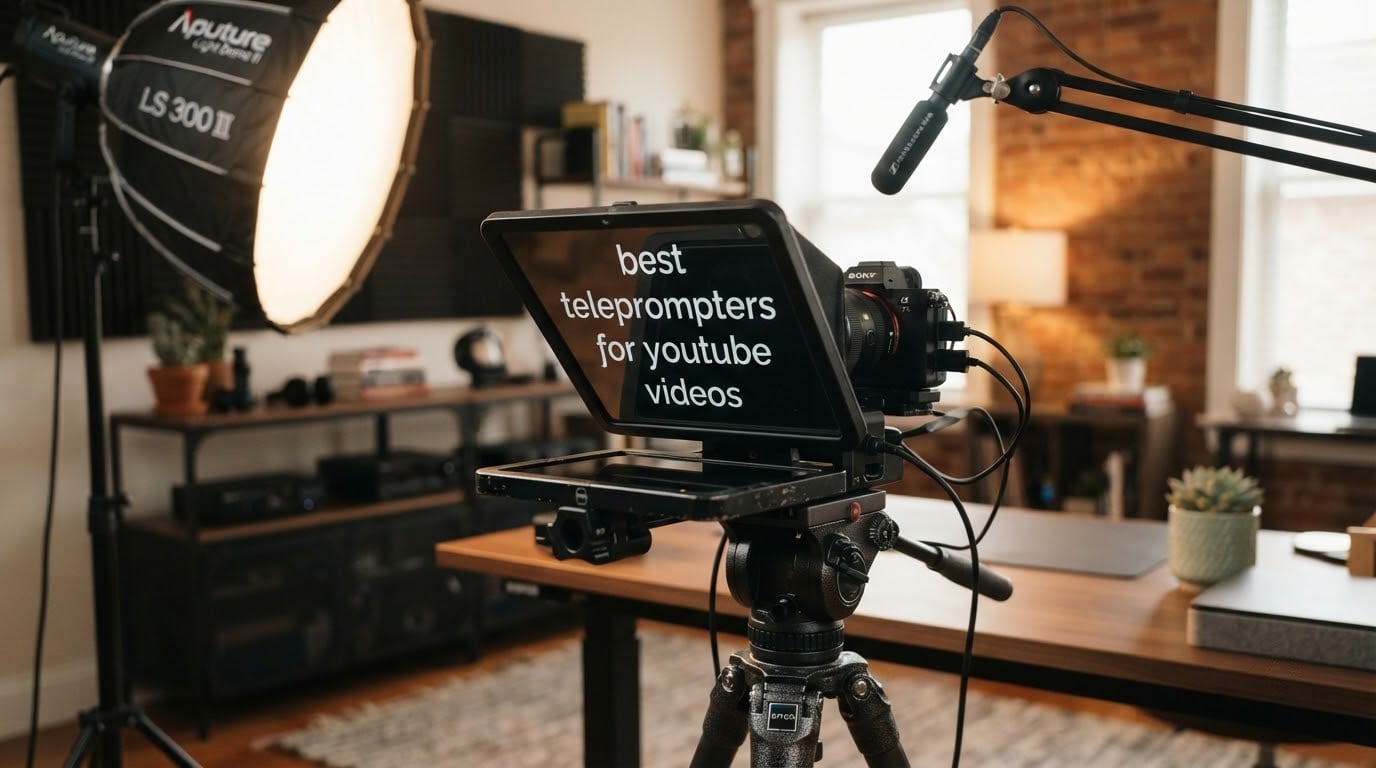
Short answer: the NEEWER X11 is the best teleprompter for YouTube videos in 2026 because it ships with a built-in 9 inch screen, so nothing has to be balanced behind the glass, and the Desview T5 covers phone and tablet shooters in one body. If you refuse to spend anything, skip to the free section below — a phone app plus a cardboard hood genuinely works for a lot of creators.
I have filmed, re-shot and troubleshot enough talking head footage to know where teleprompter rigs break. The failures are never the ones people expect. It is not the screen size, and it is not the glass. It is wobble in the arm, the phone clamp sliding mid-take, and reflections from a bright window bouncing off the beamsplitter straight into your eyes.
So for this roundup I compared 12 teleprompters across the three tiers the market actually sells in: phone hoods, tablet rigs, and camera-mounted units with a built-in monitor. I read every specification sheet, cross-checked the owner feedback on glare, stability and app reliability, and flagged the two categories that quietly disappoint buyers most.
That last part matters, because the same two-star listings you see in Google’s own shopping carousel are not bad luck. Parrot-style clip-on phone hoods earn those ratings for a fixable reason, and I explain it further down before you spend anything.
IN THIS ENTRYTable of Contents
- 1Our Top 3 T
- 2NEEWER X11 2 in 1 Teleprompter
- 3NEEWER Teleprompter X14 III
- 4Elgato Prompter
- 5Comparing 12 Teleprompters for YouTube Videos in 2026
- 61. NEEWER X11: Best All-Round Teleprompter With a Built-in Monitor
- 7NEEWER X11 2 in 1 Teleprompter 11″ with Monitor, Supports Screen Mirroring
- 8Glass clarity and the 2.5 metre reading range
- 9Mounting range and what wobbles
- 10Who this suits and who should pass
- 112. NEEWER X14 III: Best Metal Rig That Folds Flat and Travels
- 12NEEWER Teleprompter X14 III with RT113 Remote/App Control, 14″ Beamsplitter
- 13Why the 14 inch glass changes how you write
- 14Fit, balance and the tray caveat
- 15For whom its good, for whom its bad
- 163. Elgato Prompter: Best for Creators Working From a Desktop
- 17Elgato Prompter, Teleprompter with Built-in Screen
- 18Lens flexibility and mounting
- 19The DisplayLink trade you have to make
- 20Who should buy the Elgato
- 214. NEEWER Basics X12B: Best Budget Tablet Teleprompter
- 22NEEWER Basics X12B Aluminum Alloy Teleprompter 12″ for Tablet DSLR Camera
- 23Why the missing monitor is not a problem here
- 24Remote and app control
- 25For whom its good, for whom its bad
- 265. AMBITFUL 7.5 Inch Mini: Best for Desk and Webcam Setups
- 27AMBITFUL 7.5” Mini Teleprompter W/Desktop Tripod for Smartphone & DSLR
- 28Reading distance and the small surface
- 29Lens adapters and mounting
- 30Who it works for
- 316. Desview T5: Best for Phone and Tablet Shooters Who Switch Devices
- 32Desview T5 Teleprompter for Smartphone & Tablet, Video Recording | Compatible with DSLR Cameras. Includes 49-82mm Adapter Rings, Coated Glass, Bluetooth Remote, Free App for Streaming
- 33The phone clamp is the weak point
- 34Tablet support is the second weak point
- 35For whom its good, for whom its bad
- 367. Desview P13: Best for Long Scripts on a Large Tablet
- 37Desview P13 Teleprompter 13 Inch Aluminum Alloy with High Definition Glass, Compatible with iPad Tablet Camera DSLR, Portable No-Assembly Design for Video Recording
- 38Mounting: the warning that matters
- 39Framing and documentation
- 40Who it suits
- 418. Little Prompter: Best Compact Box for Webcams and Laptops
- 42Little Prompter, The Original Compact Personal Teleprompter for Video Production. No Studio Required. Perfect for DSLRs, Webcams, and Built-in Laptop Cameras. Use with iOS or Android.
- 43Reading distance is the real limit
- 44Build quality expectations
- 45For whom its good, for whom its bad
- 469. Desview T3: Best Travel Prompter With Wide Lens Support
- 47Desview T3 Portable Teleprompter for Camera & Smartphone, Tablet Prompter for iPad up to 10″, 70/30 Beam Splitter Glass, 9 Adapter Rings for DSLR, YouTube Video Recording & Live Streaming
- 48Setup time and the app
- 49Two things to watch
- 50For whom its good, for whom its bad
- 5110. Moman MT12: Best for Seated Delivery and Long Reading Range
- 52Moman MT12 Teleprompter 12″ with APP Control for iPad Tablet DSLR Camera
- 53What the 6 lb weight means
- 54App control and device fit
- 55For whom its good, for whom its bad
- 5611. LENSGO TC7S: Best Fold-Flat Phone Prompter for Vlogging
- 57LENSGO TC7S Portable Teleprompter for Phone, 9.7 inches One-Second Fold Mini Teleprompter with Remote Control,App Compatible with iPhone & Android for Online Teaching Vlog Live Streaming Interview
- 58The glare problem and how owners fix it
- 59App and remote reliability
- 60For whom its good, for whom its bad
- 6112. SMALLRIG 3646: Best Rig for DSLR Shooters on a 15mm Rail
- 62SMALLRIG Teleprompter for iPad Tablet up to 11 inch, NOT for Smartphone
- 63The extra purchase you have to plan for
- 64Glare control and build
- 65For whom its good, for whom its bad
- 66NEEWER X11 vs Elgato Prompter: Which One Should You Buy?
- 67How to Choose a Teleprompter for YouTube Videos
- 68Start with your form factor, not the price
- 69Reading distance decides whether you can finish a script
- 70Lens focal length is the most common deal-breaker
- 71Glare is a hood problem, not a glass problem
- 72Check the control method before the glass
- 73Weight and stability are the same question
- 74Shooting Shorts and vertical video
- 75When free and app-only is the right answer
- 76Frequently Asked Questions
- 77What is the best teleprompter for making YouTube videos?
- 78Do most YouTubers use a teleprompter?
- 79What are the drawbacks of using a prompter?
- 80How do I stop looking away from the camera while reading a script?
- 81Does YouTube have a teleprompter?
- 82Which Teleprompter Should You Buy in 2026?
Our Top 3 T
Three rigs earned enough owner feedback to earn a place here, and all three solve the same core problem differently. Here is the shortcut before the full write-ups.

NEEWER X11 2 in 1 Teleprompter
- Built-in 9 inch LCD
- 11 inch coated beamsplitter
- 75% light transmission
- 1/4 and 3/8 inch tripod holes

NEEWER Teleprompter X14 III
- 14 inch beamsplitter
- Metal construction
- Folds flat
- RT113 Bluetooth remote

Elgato Prompter
- Built-in 9 inch FHD screen
- Desktop controlled
- Stream Deck support
- Works with wide lenses
As an Amazon Associate we earn from qualifying purchases. CERTAIN CONTENT THAT APPEARS ON THIS SITE COMES FROM AMAZON. THIS CONTENT IS PROVIDED 'AS IS' AND IS SUBJECT TO CHANGE OR REMOVAL AT ANY TIME.
Comparing 12 Teleprompters for YouTube Videos in 2026
Every rig below appears in this table with the two things that decide whether it suits you: what it prompts from, and how it is controlled.
| No. | Entry | Notes | Link |
|---|---|---|---|
| 1 | NEEWER X11 2 in 1 Teleprompter |
|
Check Latest Price |
| 2 | NEEWER Teleprompter X14 III |
|
Check Latest Price |
| 3 | Elgato Prompter |
|
Check Latest Price |
| 4 |  NEEWER Basics X12B NEEWER Basics X12B |
|
Check Latest Price |
| 5 |  AMBITFUL 7.5 Inch Mini Teleprompter Kit AMBITFUL 7.5 Inch Mini Teleprompter Kit |
|
Check Latest Price |
| 6 |  Desview T5 Desview T5 |
|
Check Latest Price |
| 7 |  Desview P13 Desview P13 |
|
Check Latest Price |
| 8 |  Little Prompter LP-01 Little Prompter LP-01 |
|
Check Latest Price |
| 9 |  Desview T3 Desview T3 |
|
Check Latest Price |
| 10 |  Moman MT12 Moman MT12 |
|
Check Latest Price |
| 11 |  LENSGO TC7S LENSGO TC7S |
|
Check Latest Price |
| 12 |  SMALLRIG Teleprompter 3646 SMALLRIG Teleprompter 3646 |
|
Check Latest Price |
As an Amazon Associate we earn from qualifying purchases, at no additional cost to you. CERTAIN CONTENT THAT APPEARS ON THIS SITE COMES FROM AMAZON. THIS CONTENT IS PROVIDED 'AS IS' AND IS SUBJECT TO CHANGE OR REMOVAL AT ANY TIME.
1. NEEWER X11: Best All-Round Teleprompter With a Built-in Monitor
EDITOR'S CHOICE
- Built-in 9 inch LCD
- 11 inch coated beamsplitter
- 75% light transmission
- 1.3 lb
- Built-in screen means no tablet to balance
- Coated glass with minimal ghosting
- Adjustable Arca type holder with 10 cm horizontal travel
- Tripod plate supports 2 kg
- Works as a second display on Windows and macOS
- Foam hood padding wears out with regular use
- Cable routing is not thought through
- Sparse instructions
- Some plastic mounts flex on larger bodies
As an Amazon Associate we earn from qualifying purchases, at no additional cost to you. CERTAIN CONTENT THAT APPEARS ON THIS SITE COMES FROM AMAZON. THIS CONTENT IS PROVIDED 'AS IS' AND IS SUBJECT TO CHANGE OR REMOVAL AT ANY TIME.
The X11 solves the problem that quietly ruins most tablet prompters: the weight of a tablet sitting on the display tray. Its built-in 9 inch LCD sits flat under the glass, so there is no slab of aluminium pressing down on your device and no risk of the whole thing tipping forward when you reach for the scroll remote.
It also does something the name does not advertise. Connect a computer over USB-C and it works as an external display for Windows and macOS, which means you can draft a script on your laptop, drag it across, and read it through the glass without a phone in the equation at all.
Weighing 1.3 lb and folding to a shape that fits a normal camera bag, it is also the easiest built-in-screen rig to move between a desk and a spare room.
Glass clarity and the 2.5 metre reading range
The multi-coated beamsplitter passes 75% of the light and stays readable up to about 2.5 m, which covers a desk setup and most small home studios. Owners consistently report that the image the camera records stays clean, with no visible darkening or tint from the glass.
Ghosting, the doubled or blurred second copy of your text that ruins delivery, is the complaint we saw least. That is a coating quality issue, and this one holds up.
Mounting range and what wobbles
The adjustable Arca type holder gives 10 cm of horizontal and 3 cm of vertical movement, and the quick release plate with a 1/4 inch screw is rated to 2 kg. That is enough to centre a mirrorless body and most compact DSLRs without a counterweight.
The honest weakness is the plastic mounting hardware. Owners with larger bodies and longer lenses report some movement, so pair it with a tripod rated well above the combined weight rather than a lightweight phone stand.
Who this suits and who should pass
Choose the X11 if you shoot talking head explainers alone, want one device to do everything, and would rather not maintain a separate tablet and prompting app setup. Two years of owner feedback at a 4.4 average is the deepest sample in this roundup.
Pass if you need a large reading surface for 20-minute scripts, or if you shoot on location and the cables trailing from a computer will bother you. The cable management here is an afterthought, which is a problem when you mirror from a laptop.
As an Amazon Associate we earn from qualifying purchases, at no additional cost to you. CERTAIN CONTENT THAT APPEARS ON THIS SITE COMES FROM AMAZON. THIS CONTENT IS PROVIDED 'AS IS' AND IS SUBJECT TO CHANGE OR REMOVAL AT ANY TIME.
2. NEEWER X14 III: Best Metal Rig That Folds Flat and Travels
BEST VALUE
- 14 inch HD beamsplitter
- 71% transmission, 3 m range
- Folds flat, no assembly
- Max load 10 kg
- Mostly metal build feels solid
- No assembly and folds into the included case
- Rigid pull-out tray
- Front and side shoes for lights and mics
- Multiple tripod plate positions for balance
- Thin darkbox fabric lets light through at the zipper
- Display tray locks but does not clamp pressure
- NEEWER app has no margin adjustment
- Needs a tripod rated for 8-10 kg
As an Amazon Associate we earn from qualifying purchases, at no additional cost to you. CERTAIN CONTENT THAT APPEARS ON THIS SITE COMES FROM AMAZON. THIS CONTENT IS PROVIDED 'AS IS' AND IS SUBJECT TO CHANGE OR REMOVAL AT ANY TIME.
Where the X11 is about convenience, the X14 III is about build. The frame is mostly metal, the beamsplitter is a full 14 inch across, and the whole thing folds into the supplied case with no assembly at any point. It arrives, you open the case, you mount it.
That makes it the pick for a creator who shoots away from home. The 3 m reading range means you can sit back from a rig rather than hunching into it, which is exactly what you want at the end of a nine-minute video.
It handles up to 22 lb of camera, and the front and side cold shoe mounts let a light or a microphone sit on the same frame instead of on a separate arm that can introduce echo.
Why the 14 inch glass changes how you write
A larger prompt surface means a larger font and wider line breaks without shrinking the type until your eye has to work. Owners writing long-form scripts say this is the difference between reading and scanning.
Transmission sits at 71% rather than the 75% of the X11, so the reflected text is fractionally dimmer. In a properly lit room you will not notice; in a bright one, keep the hood on.
Fit, balance and the tray caveat
Vertical adjustment runs from 69 to 100 mm and horizontal travel to 171 mm, with compatibility for a Manfrotto 501PL plate. The pull-out display tray for devices up to 8.7 inch wide is rigid, so the screen does not limit your script width.
The one complaint worth acting on: the tray locks into position but does not clamp pressure onto the display. On a mobile rig where the whole assembly moves, the device can slide. If you shoot handheld or on a light stand, add tape or a strap.
For whom its good, for whom its bad
This is the rig for a creator with a real camera body, a proper tripod and scripts longer than a few minutes. The metal frame is why it feels planted rather than wobbly, and that is the single thing owners praise most often across every brand in this roundup.
Skip it if you shoot on a phone. There is no phone clamp, the weight is 5.2 lb, and the case eats real estate in a small flat.
As an Amazon Associate we earn from qualifying purchases, at no additional cost to you. CERTAIN CONTENT THAT APPEARS ON THIS SITE COMES FROM AMAZON. THIS CONTENT IS PROVIDED 'AS IS' AND IS SUBJECT TO CHANGE OR REMOVAL AT ANY TIME.
3. Elgato Prompter: Best for Creators Working From a Desktop
PREMIUM PICK
- Built-in 9 inch FHD display
- PC and Mac controlled
- Camera Hub app
- 0.69 kg
- Script sits right in front of the lens
- No phone or tablet to balance
- Drag and drop window control
- Smooth adjustable scrolling
- Works with Stream Deck and OBS
- 9 inch screen is small for close framing
- DisplayLink needed on Mac
- Occasional lag after Mac updates
- No iPad or iPhone support over USB-C
As an Amazon Associate we earn from qualifying purchases, at no additional cost to you. CERTAIN CONTENT THAT APPEARS ON THIS SITE COMES FROM AMAZON. THIS CONTENT IS PROVIDED 'AS IS' AND IS SUBJECT TO CHANGE OR REMOVAL AT ANY TIME.
The Elgato Prompter is built around a different assumption: you already have a computer running your recording software, so why carry a second screen? Its built-in 9 inch FHD display is controlled entirely from a PC or Mac, and you drag a window onto it the same way you would onto a second monitor.
For a creator who edits in the same room they film in, that is genuinely faster than launching a phone prompting app, importing a script and pairing a Bluetooth remote every session.
It is also useful outside the studio. Owners use it as a pseudo eye-contact aid for Zoom and Teams calls, where a script placed at the lens does more for a sales pitch than a prompt hidden in a second window.
Lens flexibility and mounting
This is where the Elgato earns its reputation among camera shooters. It supports wide lenses and mounts on DSLR, mirrorless and cinema bodies, and reviewers consistently report no vignetting at short focal lengths where cheaper hoods cut the corners of the frame.
The compact form factor adds little bulk to a rig, and the two year manufacturer warranty is the longest in this roundup.
The DisplayLink trade you have to make
Extending the display to the prompter screen relies on DisplayLink software, free on both Mac and Windows. It works, but it is a dependency. In locked-down corporate machines the install can be blocked, and owners report occasional performance hiccups after macOS updates.
Text formatting is also narrower than a dedicated prompting app. Prepare your script with breaks and emphasis in advance, because the Camera Hub app controls size, colour and spacing rather than rich structure.
Who should buy the Elgato
Buy it if your workflow is desktop-first: OBS or a dedicated recorder, a webcam or mirrorless body, and a weekly upload schedule that punishes retakes. The smooth adjustable scroll and the Stream Deck integration are the features you will feel every single take.
Buy something else if you film on a phone, travel, or shoot away from your computer. There is no iPad or iPhone support over USB-C, and a 9 inch screen is tight when your face fills the frame.
As an Amazon Associate we earn from qualifying purchases, at no additional cost to you. CERTAIN CONTENT THAT APPEARS ON THIS SITE COMES FROM AMAZON. THIS CONTENT IS PROVIDED 'AS IS' AND IS SUBJECT TO CHANGE OR REMOVAL AT ANY TIME.
4. NEEWER Basics X12B: Best Budget Tablet Teleprompter
MOST VERSATILE
- Aluminum alloy body
- 12 inch coated glass
- 75% transmittance
- 0.25 kg
- Lightweight aluminum body holds a tablet securely
- No assembly required
- Coated glass stays clear
- Remote and app control
- Folds flat into the included case
- Not designed for phone shooting
- Does not act as a monitor
- Remote needs AAA batteries that are not included
As an Amazon Associate we earn from qualifying purchases, at no additional cost to you. CERTAIN CONTENT THAT APPEARS ON THIS SITE COMES FROM AMAZON. THIS CONTENT IS PROVIDED 'AS IS' AND IS SUBJECT TO CHANGE OR REMOVAL AT ANY TIME.
The Basics line strips the X11 down to what actually matters and drops the built-in screen. You supply a tablet, the app scrolls your script, and the 12 inch coated glass reflects it back at you. At 0.25 kg it is the lightest camera-compatible rig here.
Reflected text stays readable up to 10 ft, so it works for a seated presenter as comfortably as for a standing one. That makes it a strong fit for online courses and tutorial channels where the camera sits further back than a typical talking head framing.
Reviewers describe it as unfussy in the best sense: open the box, mount it, film.
Why the missing monitor is not a problem here
Because the X12B is not a monitor, you lose self-view, but you also lose the cable. There is nothing to plug in beyond your tablet, which removes the single most common cause of mid-session failure in a home studio.
The flip-open structure folds to 12 x 12 x 2 inches and fits the carry case, so it lives in a drawer between shoots rather than on your desk permanently.
Remote and app control
The RT113 Bluetooth remote handles play and pause, scroll speed, page turns and font size with quiet buttons, paired with the NEEWER Teleprompter app on iOS 11 or Android 6 and above. Solo recording is genuinely hands-free.
One small annoyance: the remote takes AAA batteries and they are not in the box. Buy a spare set before your first shoot.
For whom its good, for whom its bad
Choose the X12B if you already own a recent iPad and want a metal teleprompter for course and tutorial work without buying a second display. The 4.4 average across 777 reviews suggests it disappoints very few people.
Skip it if you shoot on a phone. It is built for tablets and cameras, and pairing it with a phone means solving the fit yourself.
As an Amazon Associate we earn from qualifying purchases, at no additional cost to you. CERTAIN CONTENT THAT APPEARS ON THIS SITE COMES FROM AMAZON. THIS CONTENT IS PROVIDED 'AS IS' AND IS SUBJECT TO CHANGE OR REMOVAL AT ANY TIME.
5. AMBITFUL 7.5 Inch Mini: Best for Desk and Webcam Setups
BEST FOR DESK SETUPS
- 7.5 inch coated glass
- Includes desktop tripod
- 49-77mm adapter rings
- 350 g prompter
- Complete kit with desktop tripod and remote
- Lightweight and quick to assemble
- Coated glass without double images
- Adapter rings cover most lens threads
- App controls font and colour
- Not compatible with tablets
- Needs the correct adapter ring for your lens
- Small reading surface for close work
- Plastic body flexes more than metal
As an Amazon Associate we earn from qualifying purchases, at no additional cost to you. CERTAIN CONTENT THAT APPEARS ON THIS SITE COMES FROM AMAZON. THIS CONTENT IS PROVIDED 'AS IS' AND IS SUBJECT TO CHANGE OR REMOVAL AT ANY TIME.
Most of this roundup assumes a tripod and a camera. The AMBITFUL assumes a desk, a phone, and no studio at all, and for a creator running a talking head channel out of a home office, that assumption is exactly right.
The bundle includes a desktop tripod, a Bluetooth remote and adapter rings from 49 mm to 77 mm, so you can move from a phone on the desk to a mirrorless body on a stand without buying anything else.
At 350 g the prompter itself is barely noticeable in a bag, which makes it the easiest way to try prompting for a few months before committing.
Reading distance and the small surface
Seven and a half inches is small, and owners say so. The limitation shows up when your face fills the frame, because the reflected text has to stay large enough to read at a short distance.
Pull the camera back a little, frame wider, and the problem disappears. That is a free fix and it is the reason this kit works so well for desk shooting.
Lens adapters and mounting
Rings covering 49, 52, 55, 58, 62, 67, 72 and 77 mm handle the majority of mirrorless and DSLR lenses. The hood supports wide lenses beyond 35 mm, and the standard 1/4 inch screw fits ordinary photography stands.
The plastic body is the tradeoff. It flexes more than the aluminum and metal rigs here, and the long-term complaint in reviews is durability rather than function.
Who it works for
This is the right first teleprompter for someone scripting sponsor reads, weekly updates or a small course from a spare room. It covers phones and cameras, needs no assembly, and costs less than a month of most editing software.
Look elsewhere if you write scripts longer than a couple of minutes, or if you need to see yourself while recording, because there is no monitor here at all.
As an Amazon Associate we earn from qualifying purchases, at no additional cost to you. CERTAIN CONTENT THAT APPEARS ON THIS SITE COMES FROM AMAZON. THIS CONTENT IS PROVIDED 'AS IS' AND IS SUBJECT TO CHANGE OR REMOVAL AT ANY TIME.
6. Desview T5: Best for Phone and Tablet Shooters Who Switch Devices
BEST FOR PHONE AND TABLET
- Phones and tablets under 11 inch
- 49-82mm adapters
- Horizontal and vertical modes
- Free app with docx import
- Works across phones
- tablets and DSLRs
- Coated glass without harming the image
- Foam light sealing reduces glare
- Remote and free app pair easily
- Quick switch between horizontal and vertical
- Phone clamp blocks side buttons with a case fitted
- Awkward with large Pro phones
- App looks soft on big tablets and cannot import text directly
- Remote only works with the Desview app
As an Amazon Associate we earn from qualifying purchases, at no additional cost to you. CERTAIN CONTENT THAT APPEARS ON THIS SITE COMES FROM AMAZON. THIS CONTENT IS PROVIDED 'AS IS' AND IS SUBJECT TO CHANGE OR REMOVAL AT ANY TIME.
The T5 exists for the creator who shoots a talking head on a phone in the morning and a tablet demo in the afternoon. It handles smartphones, tablets under 11 inches and DSLR bodies, and the horizontal and vertical modes with one-key camera alignment are aimed squarely at Shorts as much as long-form uploads.
Foam light sealing around the glass is the detail that matters more than it sounds. Owners in bright rooms report noticeably less glare than with open-frame kits, which is where most reflection problems start.
The app imports txt and docx files and includes a timer, so you can rehearse against a clock before you record.
The phone clamp is the weak point
Two complaints appear repeatedly and both are about the clamp. It is poorly made, and on a large Pro phone with a protective case fitted, it can sit over the side buttons.
That is workable, but you have to think about it. Test your exact phone and case before you build a shoot around the rig, and remove the case if the buttons are blocked.
Tablet support is the second weak point
The bundled app is designed for phones. On a large tablet the interface looks soft and cannot import text directly, and some tablet prompting apps run off the visible area unless you adjust the margins yourself.
The Bluetooth remote only controls the Desview app, so pairing it with a third-party prompting app will not work. Treat the free app as the supported path.
For whom its good, for whom its bad
Pick the T5 if you alternate between phone and tablet, shoot Shorts in vertical, and want one rig that covers both. The 49 to 82 mm adapter ring set is among the most complete in this roundup and covers almost every lens thread you will meet.
Pass if you need a polished tablet experience. The software, not the hardware, is where this kit falls short.
As an Amazon Associate we earn from qualifying purchases, at no additional cost to you. CERTAIN CONTENT THAT APPEARS ON THIS SITE COMES FROM AMAZON. THIS CONTENT IS PROVIDED 'AS IS' AND IS SUBJECT TO CHANGE OR REMOVAL AT ANY TIME.
7. Desview P13: Best for Long Scripts on a Large Tablet
BEST FOR LONG SCRIPTS
- 13 inch 70/30 beamsplitter
- Tablets up to 13 inch
- No vignetting at 16mm
- 1.7 kg
- Large viewing area suits long scripts
- Aluminum alloy resists flexing
- No vignetting even with a 16mm lens
- Sun hood for bright conditions
- Carry bag included
- Almost no setup instructions
- Large tablets can show in frame unless reframed
- Camera mount does not suit phones
- Too heavy to hang off a DSLR lens
As an Amazon Associate we earn from qualifying purchases, at no additional cost to you. CERTAIN CONTENT THAT APPEARS ON THIS SITE COMES FROM AMAZON. THIS CONTENT IS PROVIDED 'AS IS' AND IS SUBJECT TO CHANGE OR REMOVAL AT ANY TIME.
If your videos run ten minutes or longer with a word-for-word script, reading comfort beats portability. The P13 gives you a 13 inch beam splitter at 70/30 transmission, which means a bigger font and a longer comfortable session before your eye starts to tire.
That 7H hardness glass is specified for bright conditions, and the detachable sun hood that adapts to your lens makes outdoor and window-side shooting workable in a way smaller kits rarely manage.
Owners running mirrorless bodies report no vignetting with a 16 mm lens on bodies like the Sony a6400, which is wider than the 22 mm threshold most tablet kits manage.
Mounting: the warning that matters
Do not attach the P13 directly to a DSLR lens. At 1.7 kg, the added front weight changes focus behaviour and can make autofocus hunt, which is a frustrating way to lose an afternoon.
Use a light stand or a tripod head instead. The review consensus on this point is unusually consistent, and it applies to most full-size tablet prompters, not just this one.
Framing and documentation
A large tablet can be visible in the edge of the frame if you do not reposition or zoom. Check the edges on a test recording before you script the whole episode.
The included instructions are thin, which is the most common complaint. Budget ten minutes of experimentation, and search for a setup video for your specific body and lens combination.
Who it suits
The P13 suits creators filming long tutorials, course lessons and reviews from a fixed position, using a mirrorless camera and a stand. The Oxford cloth carry bag makes occasional on-location work possible too.
Skip it for phone shooting. The camera mount will not accept one, and the weight works against anything handheld.
As an Amazon Associate we earn from qualifying purchases, at no additional cost to you. CERTAIN CONTENT THAT APPEARS ON THIS SITE COMES FROM AMAZON. THIS CONTENT IS PROVIDED 'AS IS' AND IS SUBJECT TO CHANGE OR REMOVAL AT ANY TIME.
8. Little Prompter: Best Compact Box for Webcams and Laptops
BEST FOR WEBCAMS
- 6 inch reading surface
- Fits webcams and laptop cameras
- Tripod attachment bar
- Folds to a 6 inch cube
- Near zero learning curve
- Clamps over a phone
- tablet
- webcam or laptop camera
- Glass keeps the recorded image clear
- Tripod bar allows semi-permanent mounting
- Excellent packaging and support
- Plastic body can crack with larger webcams
- Included bracket and screws strip easily
- Short reading distance of about four feet
- Prompter box visible in frame on some laptops
As an Amazon Associate we earn from qualifying purchases, at no additional cost to you. CERTAIN CONTENT THAT APPEARS ON THIS SITE COMES FROM AMAZON. THIS CONTENT IS PROVIDED 'AS IS' AND IS SUBJECT TO CHANGE OR REMOVAL AT ANY TIME.
The Little Prompter is a box that clamps over whatever camera you already have. Webcam, laptop camera, phone, tablet. It is the smallest footprint in this roundup and the least fiddly thing here to set up, which is why it keeps attracting steady owner feedback years after launch.
The safety-designed screws are a nice touch: they are meant to snap rather than damage your equipment when over-tightened, which tells you the designer expected beginners to over-tighten.
Customer support is a genuine strength here. Owners describe the founder replacing broken hardware quickly, and that is rarer than it should be in this category.
Reading distance is the real limit
Roughly four feet is the working distance, and beyond that the text gets small. If your desk setup places the camera more than an arm span away, this is the wrong tool.
It also folds to a 6 inch cube but not completely flat, so it will not slide into a slim laptop sleeve. It goes in a camera bag, just not a briefcase.
Build quality expectations
Reviews mention a plastic body that can crack when fitting larger webcams, and metal bracket screws that strip if overtightened. Treat it as a light-duty tool and it performs well.
The app is not included. You will need a prompting app for iOS or Android, and because the box sits in front of the screen, confirm your chosen app supports a camera cut-out or external camera before you commit.
For whom its good, for whom its bad
Choose it for webcam and laptop-camera creators who want eye contact in a home office and value simplicity over features. The tripod attachment bar lets you mount it semi-permanently once the position is right.
Pass for anything filmed at distance, on a stand, or with a large cinema body. This is a desktop tool and it knows it.
As an Amazon Associate we earn from qualifying purchases, at no additional cost to you. CERTAIN CONTENT THAT APPEARS ON THIS SITE COMES FROM AMAZON. THIS CONTENT IS PROVIDED 'AS IS' AND IS SUBJECT TO CHANGE OR REMOVAL AT ANY TIME.
9. Desview T3: Best Travel Prompter With Wide Lens Support
BEST FOR TRAVEL
- 70/30 glass, 26 anti-reflection layers
- Dual cold shoe mounts
- 24mm and wider without vignetting
- 15.5 oz
- Sturdy for its size and easy to carry
- Detachable design assembles fast
- Coated glass with no ghosting
- Cold shoe mounts for a light and microphone
- Nine adapter rings included
- First assembly takes about 20 minutes
- Remote only works with the Desview app
- App settings reset and contains errors
- IR remotes do not pass through the glass
As an Amazon Associate we earn from qualifying purchases, at no additional cost to you. CERTAIN CONTENT THAT APPEARS ON THIS SITE COMES FROM AMAZON. THIS CONTENT IS PROVIDED 'AS IS' AND IS SUBJECT TO CHANGE OR REMOVAL AT ANY TIME.
At 15.5 oz the T3 disappears into a camera bag, and the detachable structure with hand-tightened screws means you can break it down between locations without tools. For a creator who films on location regularly, that is worth more than a slightly larger glass.
It is also the widest-lens-tolerant budget kit here, shooting from 24 mm horizontally without vignetting. That number matters more than most specs, because anything wider than roughly 24 mm will not fit a standard hood without a bigger opening.
Twenty-six anti-reflection layers on the 70/30 glass is unusually heavy coating for the money, and owners report clear text with no doubling.
Setup time and the app
Budget twenty minutes for the first assembly. After that it is a two-minute job, but the instruction booklet is poorly organised enough that you will want a video alongside it.
The app is the weak point. Settings occasionally reset, there are reported errors in both English and Spanish, and the Bluetooth remote only controls the Desview app. IR-style remotes also fail to pass through the beamsplitter, so use the supplied Bluetooth one.
Two things to watch
Some owners reported a strong chemical smell for weeks after purchase. Let it sit open in a ventilated room for a day before filming in an enclosed space.
Mounting a light or microphone on the cold shoes adds weight to the front of the lens. Balance the rig on a stand rather than a small tripod head.
For whom its good, for whom its bad
The T3 fits a creator who travels, shoots mirrorless, and wants wide lens coverage without a premium rig. Nine adapter rings from 49 to 82 mm cover essentially every lens thread on the market.
Pass if your workflow is a fixed desktop, because you are paying for portability you will not use.
As an Amazon Associate we earn from qualifying purchases, at no additional cost to you. CERTAIN CONTENT THAT APPEARS ON THIS SITE COMES FROM AMAZON. THIS CONTENT IS PROVIDED 'AS IS' AND IS SUBJECT TO CHANGE OR REMOVAL AT ANY TIME.
10. Moman MT12: Best for Seated Delivery and Long Reading Range
BEST FOR SEATED DELIVERY
- 12 inch tempered glass
- 15 ft reading range
- Adjustable prompting angle knob
- 6 lb
- Long reading range suits a camera set back from the desk
- Metal frame doubles as the camera mounting point
- Angle knob fixes sight line for seated or standing
- One-piece design sets up quickly
- App controls countdown
- size
- speed and colour
- App-based control only with no hardware-only workflow
- Bulky and heavy for travel
- Tablet clamp needs unscrewing to resize
As an Amazon Associate we earn from qualifying purchases, at no additional cost to you. CERTAIN CONTENT THAT APPEARS ON THIS SITE COMES FROM AMAZON. THIS CONTENT IS PROVIDED 'AS IS' AND IS SUBJECT TO CHANGE OR REMOVAL AT ANY TIME.
The Moman MT12 is built around one specific problem: a camera set back across a desk from where you sit. With a 15 ft reading range on 12 inch tempered glass, the text stays legible without you leaning forward, and the adjustment knob lets you set the prompting angle for seated delivery.
That knob is the feature most worth paying attention to in this whole roundup. Most rigs assume a fixed eye line. This one lets you move between a seated desk shoot and a standing presentation on the same rig.
The metal structure doubles as the mounting centre for the camera, so you are not stacking a heavy lens on a thin bracket.
What the 6 lb weight means
Reviewers are candid: this is a substantial piece of kit that reduces portability compared with compact phone kits. It is 6.05 lb, and that weight is the reason it feels planted on a stand rather than drifting.
If you record in one room and never move the rig, that is a feature. If you carry it to a co-working space twice a week, it is not.
App control and device fit
Control is app-based through the Moman Prompter app, with countdown, text size, scroll speed and colour settings, plus a remote. There is no hardware-only path, so a failed app update can stop a shoot.
The adjustable clamp takes tablets up to 12.9 inches and a phone clamp is included, but resizing means unscrewing and repositioning rather than a quick release.
For whom its good, for whom its bad
Choose the MT12 for long scripts, seated delivery, course content and anyone whose camera sits more than a metre from their face. The eye-line knob and the reading range are the reason.
Pass for travel, phone-only shooting, or anyone who wants to film without a phone or computer anywhere near the rig.
As an Amazon Associate we earn from qualifying purchases, at no additional cost to you. CERTAIN CONTENT THAT APPEARS ON THIS SITE COMES FROM AMAZON. THIS CONTENT IS PROVIDED 'AS IS' AND IS SUBJECT TO CHANGE OR REMOVAL AT ANY TIME.
11. LENSGO TC7S: Best Fold-Flat Phone Prompter for Vlogging
BEST FOR FOLD-FLAT VLOGGING
- 7.9 inch coated glass
- Folds flat in one second
- TCQI app and remote
- 450 g
- Folds flat in one second and packs down tiny
- Quick setup for phones and small tablets
- Bluetooth remote scrolls reliably
- Glass keeps image quality acceptable for vlogging
- Good value against professional rigs
- Phone camera bump reflects into the image and causes glare
- Small and slightly flimsy phone tray
- Bundled app is basic
- Bluetooth remote drops out on long sessions
As an Amazon Associate we earn from qualifying purchases, at no additional cost to you. CERTAIN CONTENT THAT APPEARS ON THIS SITE COMES FROM AMAZON. THIS CONTENT IS PROVIDED 'AS IS' AND IS SUBJECT TO CHANGE OR REMOVAL AT ANY TIME.
The TC7S is the smallest thing in this roundup and the fastest to stow. It folds flat in about a second to roughly 20 cm, which means it lives in a jacket pocket and comes out for a Short filmed on location.
That portability is real and it is the reason to buy it. Everything else about this kit is a compromise you should understand before you commit.
At a 3.8 average, this is the lowest-rated product here, and the reason is specific and fixable rather than fundamental.
The glare problem and how owners fix it
The most repeated complaint is reflection from the phone itself. A raised camera bump and a glossy screen back bounce light into the lens, and the recorded image picks up a bright smear that no amount of hood adjustment removes.
The workaround owners actually use: a dark case, or black tape over the camera area. Both are free, and both fix the majority of cases. If you cannot commit to a dark case, choose a different kit.
App and remote reliability
The TCQI app accepts typed text, an uploaded TXT document or an imported image, with adjustable font size and background colour. It is basic next to dedicated prompting apps, but it covers the essentials.
Owners also report Bluetooth remote dropouts during longer sessions, so keep the on-screen pause control within reach as a backup. On lightweight phone tripods there are some stability concerns, so pair it with something sturdier.
For whom its good, for whom its bad
Buy the TC7S for mobile vlogging, travel, and Shorts where you will film standing up, moving, with one hand on the subject. Vertical and horizontal placement are both supported, and so is left or right shooting.
Pass if you record long talking head sessions on a phone, where a dropout at minute four means a restart. For anything unscripted, no prompter is needed at all.
As an Amazon Associate we earn from qualifying purchases, at no additional cost to you. CERTAIN CONTENT THAT APPEARS ON THIS SITE COMES FROM AMAZON. THIS CONTENT IS PROVIDED 'AS IS' AND IS SUBJECT TO CHANGE OR REMOVAL AT ANY TIME.
12. SMALLRIG 3646: Best Rig for DSLR Shooters on a 15mm Rail
BEST FOR DSLR RIGS
- Tablets up to 11 inch
- No vignetting at 22mm or wider
- Top flag and modular hood
- 898 g
- Sturdy
- well-engineered rig build
- Silicone lens cover fits 49-95mm diameters
- No vignetting at 22mm and longer
- Top flag and hood control glare
- Quick-release modular hood with filter adapter
- Requires a separately sold 15mm rail baseplate
- Tablets only
- not smartphones
- Higher cost than entry-level phone kits
- More rigging steps than a simple clamp
As an Amazon Associate we earn from qualifying purchases, at no additional cost to you. CERTAIN CONTENT THAT APPEARS ON THIS SITE COMES FROM AMAZON. THIS CONTENT IS PROVIDED 'AS IS' AND IS SUBJECT TO CHANGE OR REMOVAL AT ANY TIME.
SMALLRIG builds camera rigging, and the 3646 shows it. The lens hood releases quickly for cleaning, the top flag is a proper flag rather than a folded piece of card, and a 4 x 5.65 inch filter adapter is included so you can add ND glass without a second hood.
It supports tablets up to 11 inches, and the silicone lens cover takes lens diameters from 49 mm to 95 mm, which is a broader range than most kits in this roundup. No vignetting from 22 mm upward.
At 4.3 across a smaller review base, the satisfaction rate is high among hobbyist and semi-pro users who already shoot on a rail system.
The extra purchase you have to plan for
This kit does not function on its own. It needs a separate 15 mm LWS rail baseplate, sold as SmallRig 2092B or 3067, and that plate is what relieves pressure on the lens. Budget for it before you order, not after.
The SmallGoGo app extracts and edits text from PDF, images, Word documents and TXT files, which is genuinely useful if your scripts arrive in any of those formats.
Glare control and build
Both the top flag and the modular hood exist to control glare and ghosting, and the 5 m reading distance is comfortable for a seated shoot. Build quality is the main reason to pay more here.
Setup involves more rigging steps than a simple phone clamp, and it is a tablet rig, not a phone rig. If you are not already invested in a 15 mm rail system, this is a large commitment for a prompter.
For whom its good, for whom its bad
Choose the 3646 if you already run a 15 mm rail rig, shoot DSLR or mirrorless, and care about a hood that releases for cleaning and a flag that actually blocks stray light.
Pass if you are starting from a phone, or if you want a simple clip-on. Everything in this roundup below it will serve you better.
As an Amazon Associate we earn from qualifying purchases, at no additional cost to you. CERTAIN CONTENT THAT APPEARS ON THIS SITE COMES FROM AMAZON. THIS CONTENT IS PROVIDED 'AS IS' AND IS SUBJECT TO CHANGE OR REMOVAL AT ANY TIME.
NEEWER X11 vs Elgato Prompter: Which One Should You Buy?
Choose the NEEWER X11 if you want one box that does everything on its own. It has a built-in 9 inch LCD, works as a second display for Windows and macOS, and connects over USB-C or USB-A to HDMI. You can drive it from a tablet, a phone or a computer without changing the hardware.
Choose the Elgato Prompter if your recording setup already runs from a desktop. Its built-in 9 inch FHD display is drag-and-drop controlled from your PC or Mac, works with Stream Deck and OBS, and sits at the top of the Teleprompters category with a two year warranty.
The deciding factor is your control method, not the glass. Both use a coated beamsplitter, both mount on mirrorless and DSLR bodies, and both support wide lenses. The X11 is device-agnostic. The Elgato is computer-agnostic in one direction only, and it needs DisplayLink software on Mac.
Pick the X11 for travel, multi-device shooting and a mixed phone-plus-camera workflow. Pick the Elgato for a fixed studio where the same computer records and edits every week.
How to Choose a Teleprompter for YouTube Videos
Start with your form factor, not the price
Four form factors cover almost everyone. A phone hood is the cheapest and lightest but holds the smallest text. A tablet rig gives you a comfortable reading surface and takes more room. A built-in monitor rig removes the second device entirely. A laptop or desktop screen placed under the camera is the free option that genuinely works for a lot of creators.
Buyers in creator forums repeatedly name brands like Glide Gear, TeleprompterPAD and Prompter People in the same breath as the options above, which is a useful signal: this is a category with many adequate answers, and the wrong form factor matters more than the wrong brand.
Reading distance decides whether you can finish a script
Long scripts need distance. The Moman MT12 reaches 15 ft, the NEEWER X12B and Desview T3 work to about 10 ft, and the Little Prompter is comfortable at roughly four feet.
If your videos run past five minutes and are word-for-word, do not buy a 7.5 inch reading surface. You will end up restarting every paragraph.
Lens focal length is the most common deal-breaker
Anything wider than about 24 mm will not fit a standard hood without vignetting, and creators learn this after the first ruined take. Among these picks, the Desview T3 handles 24 mm, the SMALLRIG 3646 handles 22 mm, the Desview P13 reports no vignetting at 16 mm, and the AMBITFUL kit covers lenses wider than 35 mm.
Check your lens before you order. A 16-50mm kit zoom at its wide end is the classic culprit.
Glare is a hood problem, not a glass problem
Anti-reflective coatings reduce ghosting, but they do not stop ambient light. Fix glare in this order: fit the hood fully and close the darkbox, kill reflections on the device behind the glass with a matte screen protector, and reposition the rig so a window or key light is not in the camera axis. The Desview T5 and the SMALLRIG 3646 both add physical flags and foam sealing for exactly this reason.
Check the control method before the glass
Every rig here needs a prompting app, and several remotes only work with the manufacturer’s own app. That is a real lock-in. If you want to use a specific app, verify compatibility first, because a remote that will not control it leaves you walking to the device between takes.
Voice-tracking prompters are the emerging alternative: they scroll when you speak, hold when you stop, and wait if you lose your place. PromptSmart Pro is the name most often mentioned in creator forums, and app-only versions of this approach cost nothing.
Weight and stability are the same question
Wobble is the first thing buyers report back on, and it is the reason the metal X14 III and the 6 lb Moman MT12 feel planted while plastic kits drift. Match the rig to a tripod rated well above the combined weight, and never hang a full-size tablet prompt off a DSLR lens.
Shooting Shorts and vertical video
Three things matter for vertical: a clamp that holds a large phone without covering the side buttons, a mode that rotates the glass rather than the rig, and a mount that keeps the eye line at the top of the vertical frame. The Desview T5 and the LENSGO TC7S both support vertical and horizontal placement; the AMBITFUL app switches screen orientation in software.
When free and app-only is the right answer
Plenty of creators never need hardware. A prompting app, a window sized to the lens, and the laptop or tablet placed just below the camera gets you most of the benefit for nothing, and it is the workaround most often described in filming communities. If your videos are unscripted vlogs, Shorts under a minute, or conversations with another person, save the money.
The point where hardware starts to pay for itself is the opposite case: a word-for-word script longer than two minutes, filmed alone, where retakes are eating your editing time.
Frequently Asked Questions
What is the best teleprompter for making YouTube videos?
The NEEWER X11 is the best overall choice because its built-in 9 inch LCD means you do not have to balance a tablet behind the beamsplitter, and it also works as a second display for Windows and macOS. For phone and tablet shooters on a tighter budget, the Desview T5 covers both device types in one body.
Do most YouTubers use a teleprompter?
A large share of creators who script their videos do, particularly for talking head, explainer, course and sponsor content. Most channels with unscripted vlogs, Shorts or interviews do not, and rely on bullet points or a free app instead. The giveaway is delivery: word-for-word reading almost always comes from a script, not necessarily a prompter.
What are the drawbacks of using a prompter?
The main drawbacks are that reading can sound flat and over-rehearsed, your eye line drifts to the glass instead of the lens, long sessions cause reading fatigue, and the rig can introduce glare and audio problems. A large rig also blocks the frame at the edges and takes several minutes to set up. Script for the ear, mark beats in the margin, and read two takes slower than feels natural.
How do I stop looking away from the camera while reading a script?
Align your eyes with the lens, not with the centre of the beamsplitter, and adjust the camera height on the rig until the reflected text sits directly under the lens axis. Keep the font as large as the frame allows and read slower. Practise a full take with the rig before recording so your eyes learn the fixed point rather than searching for the line.
Does YouTube have a teleprompter?
YouTube Studio offers recording, editing and scheduling tools, but it has no built-in teleprompter. You need a prompting app on your phone or tablet, or a desktop application that scrolls a script over a second display. The hardware rigs on this list all use one of those apps as the scrolling source.
Which Teleprompter Should You Buy in 2026?
If you script talking head videos and want one rig that needs no second device, the NEEWER X11 is the pick. It is our editor’s choice, and the deepest owner-feedback base in this roundup backs that up.
If you travel, or your scripts run long, the NEEWER X14 III gives you a 14 inch reading surface and a metal frame that folds flat. If you record from a desktop, the Elgato Prompter wins on control and Stream Deck integration. If you are on a tablet and a strict budget, the NEEWER Basics X12B does the job.
Phone and tablet shooters should look at the Desview T5, and anyone filming Shorts on location should fold the LENSGO TC7S into a pocket. Webcam creators will be happy with the Little Prompter, and DSLR shooters on a 15 mm rail will get the most out of the SMALLRIG 3646.
And if you are still undecided, do nothing expensive yet. Run a free prompting app on the device you already own, place it just under the camera, and film two takes. If the difference in delivery is obvious to you, come back to this list. If it is not, the hardware will not fix it.